Pro subscription not enough? This hidden feature helps you save money
The following scenarios are operated from the UI interface and do not require a command line

Top Claude Desktop Can't experience it?
Claude Desktop Edit documents, work with Excel, do PPT, subscription monthly quota consumption fast?
But you know what?Claude Desktop officially supports access to third-party APIs.This feature is hidden in the ”Developer Mode”, and users of 99% have never found it.
Why do I need to connect to a third-party API?
A Claude Pro subscription doesn't cost much per month, and with a limit on how often you can use it, it's easy to hit the cap with intense use.
After accessing the third-party API relay service:
✦ Unlimited frequency, use as much as you want
✦ Controllable costs, pay for what you actually use
✦ Same model, no difference in experience
Procedure (5 minutes)
Normal installation of Claude Desktop
Download and install from the official Claude website, this step is nothing special.
Enable Developer Mode
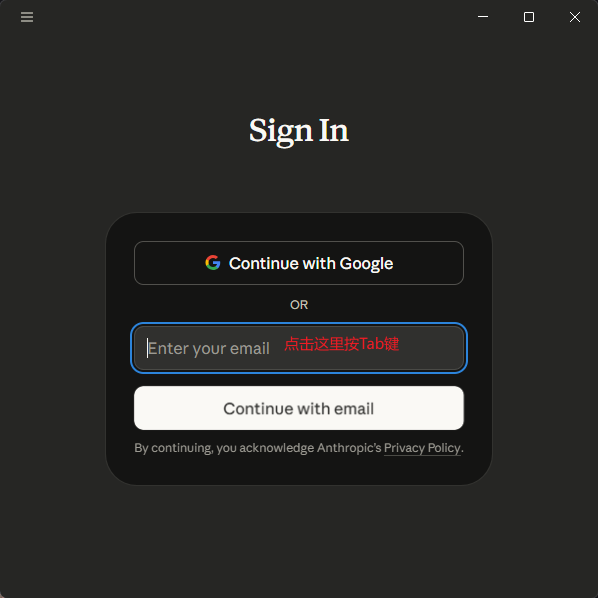
Note: Do not log in to your account the first time you open it.
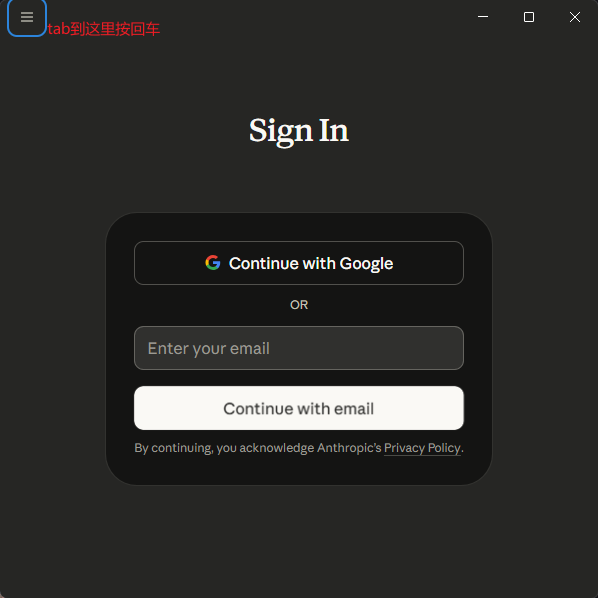
I can't click the menu button in the upper left corner without logging in. Solution:
Click on the email input box with the mouse, then press the keyboard Tab key to jump to the menu button and enter to open it.
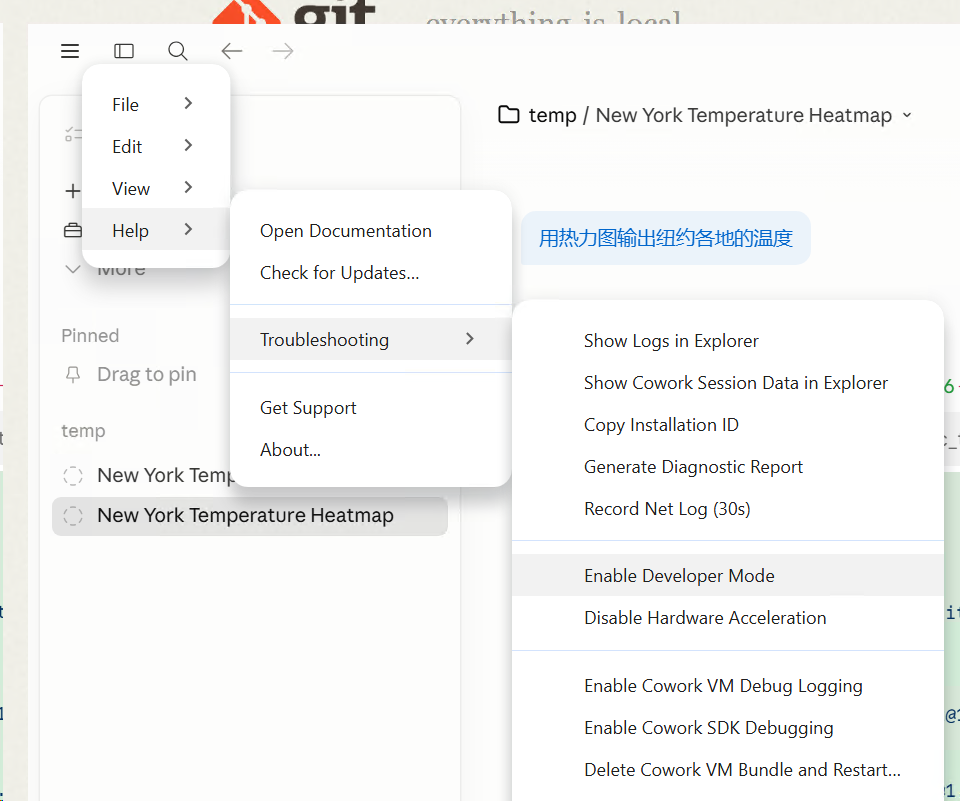
Go to the menu and find:
Help → Troubleshooting → Enable Developer Mode
Configuring Third-Party Reasoning Interfaces
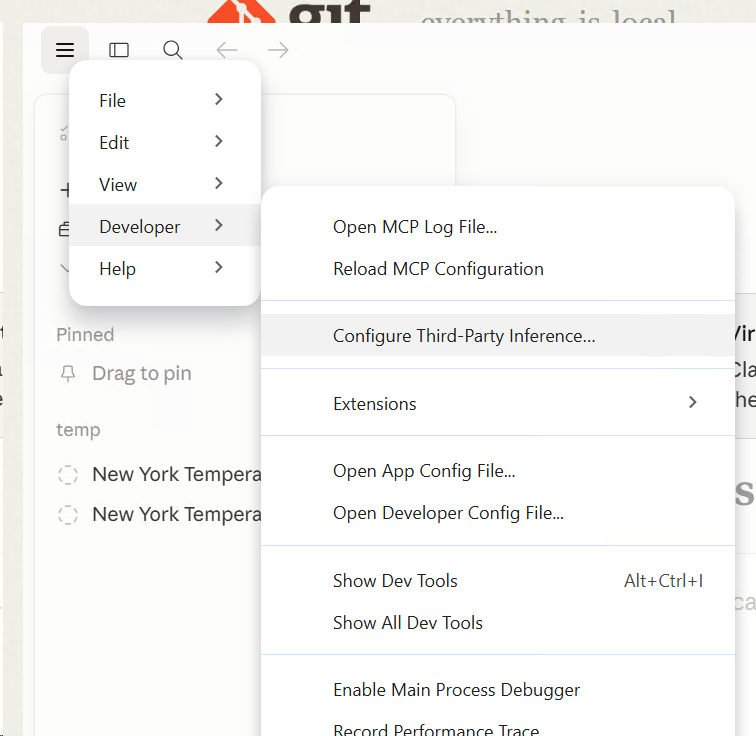
After opening the developer mode, the app will restart automatically, perform the above operation again and open the new portal that will appear in the menu:
Developer → Configure third-party inference
Fill in your API address and Key:
📍 API Address: Interface address for third-party transit services
🔑 API Key: Corresponding key
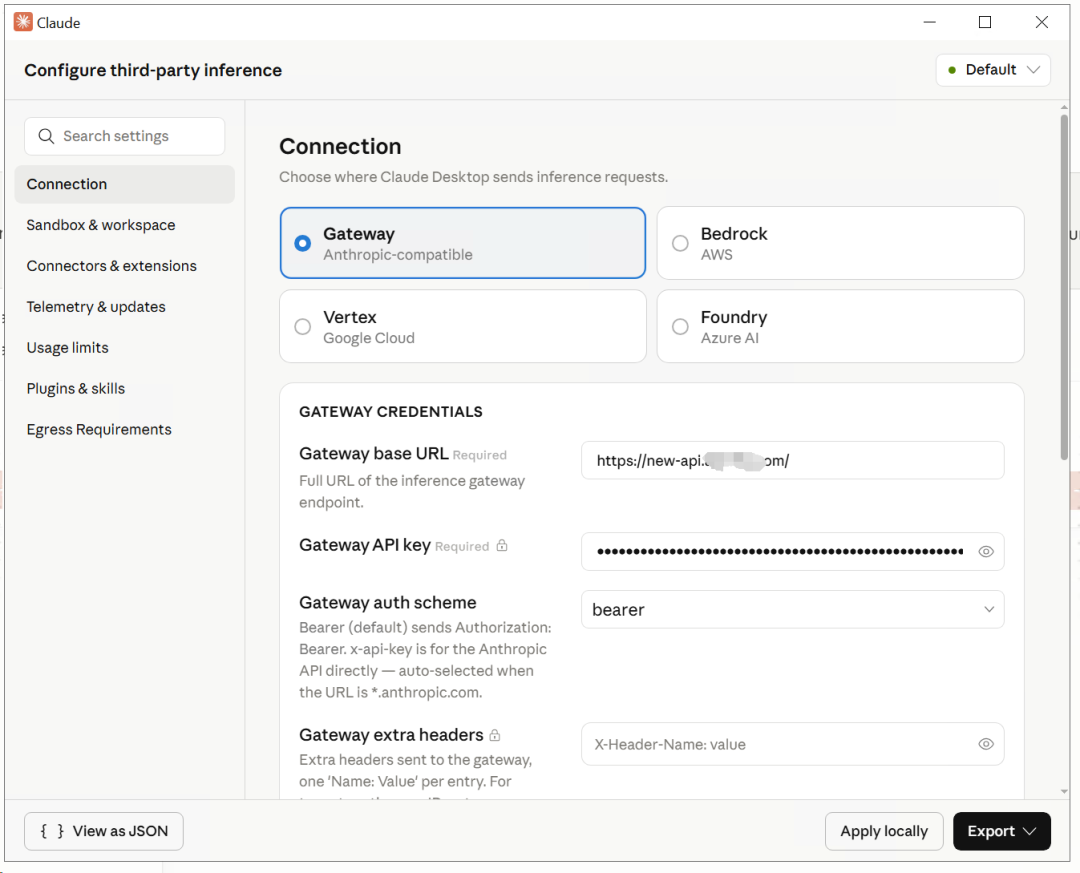
Apply locally Select localJust tap Confirm.
start using
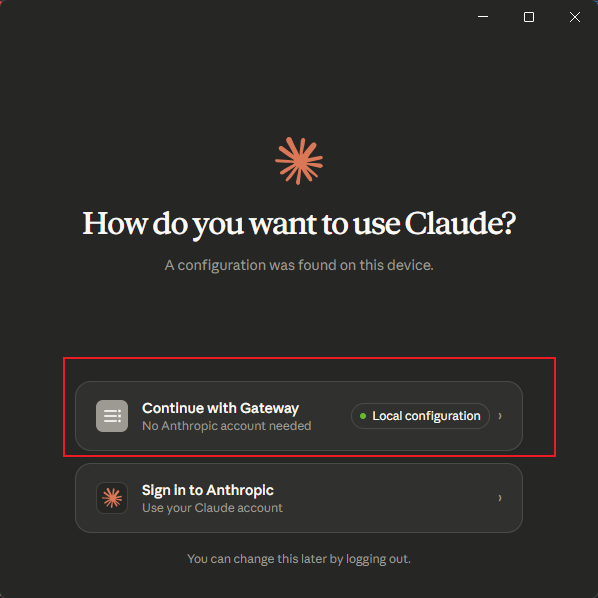
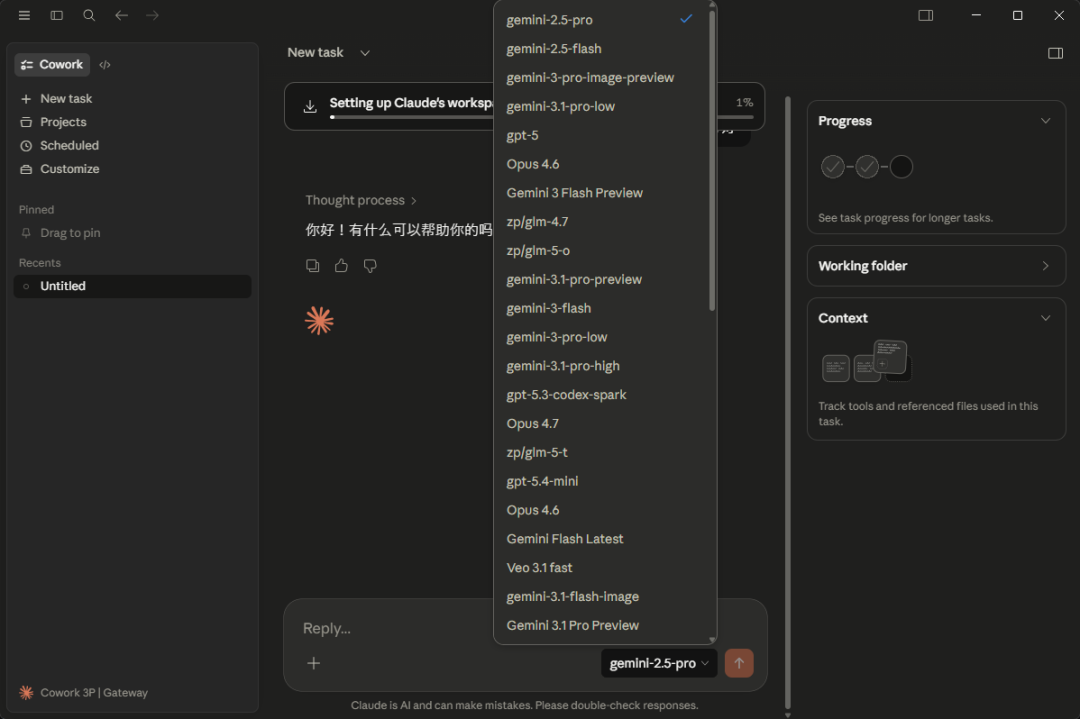
Once configured, all requests from Claude Desktop will go to the API address you filled in.The interface and experience is exactly the same, just the billing behind it has changed.
A few points of clarification
Q: Is this officially supported?
Anthropic is written in the official documentation, but the entry point is hidden.
Q: How safe is it?
The configuration exists only locally (apply locally) and is not uploaded to the Claude server. It is recommended that you choose a trusted transit provider.
Q: Does it affect other features of Claude Desktop?
Not affected. File handling, project management, contextual memory, and other functions work normally.
put at the end
This feature is simple to say, but it's well hidden - the menu can't be clicked without logging in, leading many to believe that Claude Desktop is a closed system.
as a matter of fact Anthropic It's been openly supported in the documentation, just not actively promoted.
If you have friends around you who use Claude Desktop on a high frequency, pass it on to them and save a lot of money.