
Devika is an advanced AI software engineer that understands high-level human instructions, breaks them down into steps, researches relevant information, and writes code to achieve a given goal. It intelligently develops software using large-scale language models, planning and reasoning algorithms, and web browsing capabilities.Devika aims to be an open-source alternative to Cognition AI's Devin, providing an AI programming assistant capable of completing complex coding tasks with minimal human guidance.
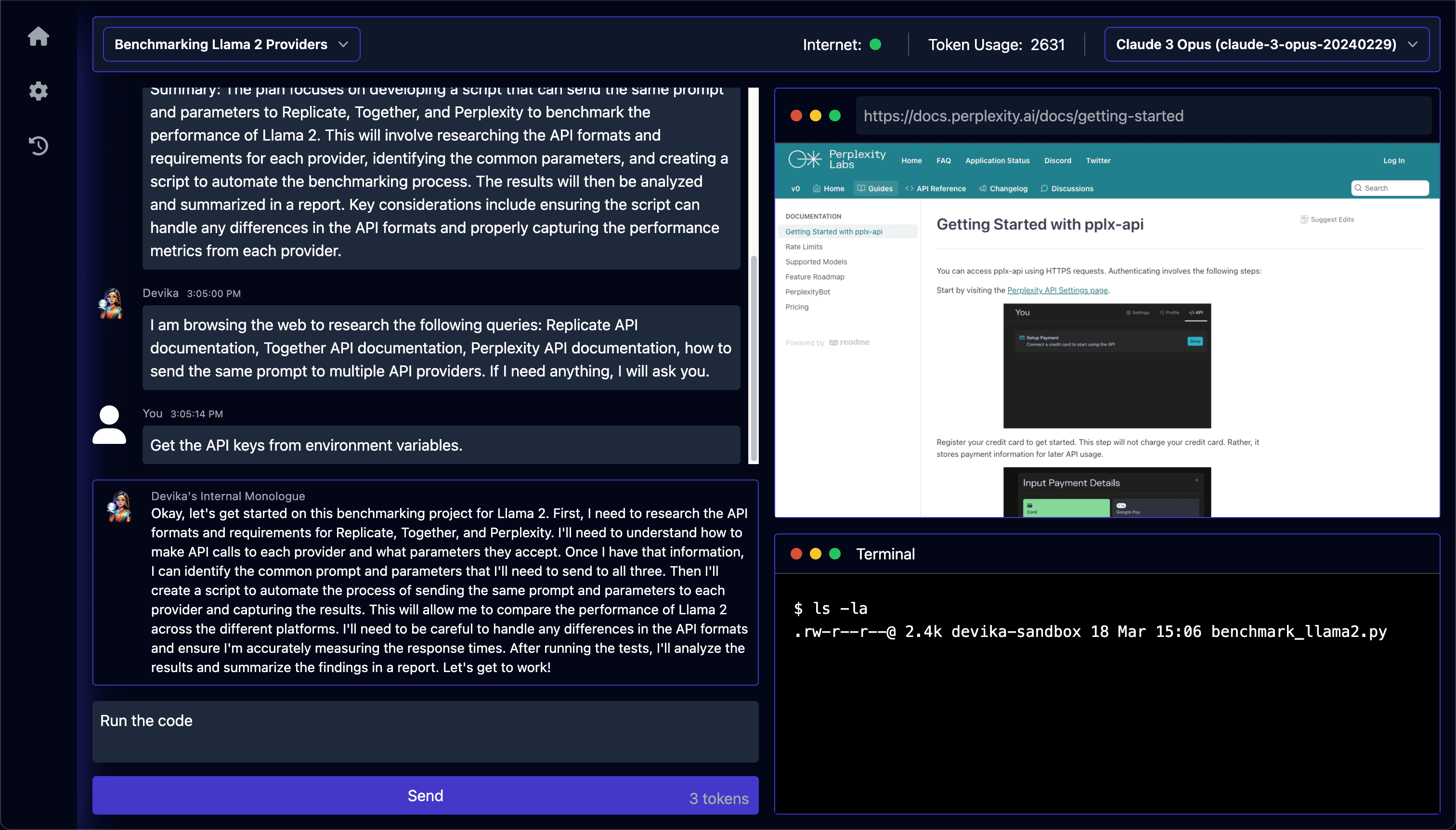
Function List
- Support for Claude 3, GPT-4, Gemini, Mistral, Groq and native LLMs
- Advanced AI planning and reasoning skills
- Keyword extraction for focused research
- Seamless web browsing and information gathering
- Code writing in multiple programming languages
- Dynamic agent state tracking and visualization
- Natural language interaction through the chat interface
- Project-based organization and management
- Extensible architecture to add new features and integrations
Using Help
Installation process
- Cloning Devika Warehouse:
git clone https://github.com/stitionai/devika.git
- Go to the project catalog:
cd devika - Create a virtual environment and install the required dependencies:
uv venv source .venv/bin/activate # macOS和Linux .venv\Scripts\activate # Windows uv pip install -r requirements.txt - Install Playwright to enable browser functionality:
playwright install --with-deps - Start the Devika server:
python devika.pyIf all is well, you will see the following output:
root: INFO : Devika is up and running! - Start the front end:
cd ui/ bun install bun run start - Open your browser and navigate to
http://127.0.0.1:3001Visit the Devika web interface.
Guidelines for use
- Open the Devika web interface.
- To create a new project, click "Select Project" and then "New Project".
- Select the search engine and model configuration.
- Provide a high-level goal or mission description in the chat screen.
- Devika will process your request, break it down into steps, and start performing tasks.
- Monitor Devika's progress, view generated code, and provide additional guidance or feedback as needed.
- Once Devika completes the task, review the generated code and project files.
- Iterate and refine the project by providing further instructions or modifications.