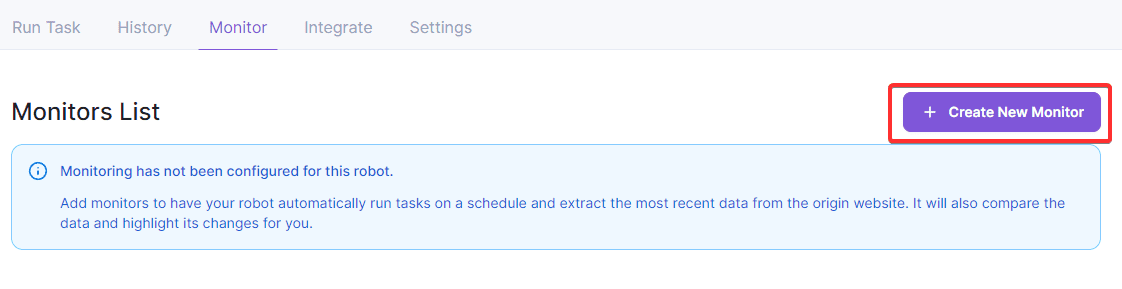
There are two main ways to set up monitoring.
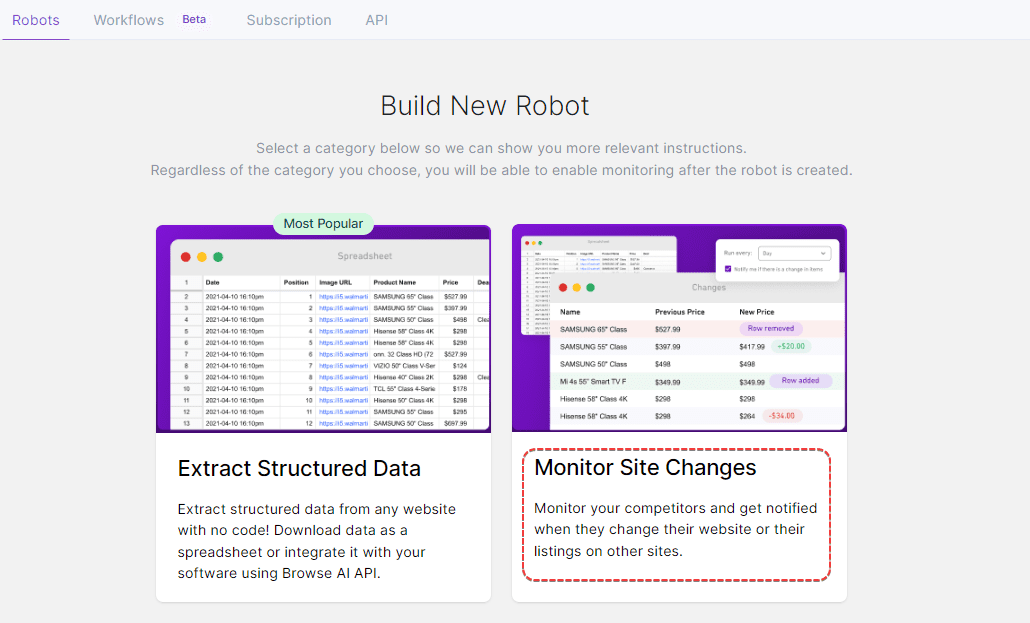
1. The first way is to select the Monitor site changes option when building a new robot:
After you finish the operation recording and capture the required data, the system will provide an easy setup wizard for you to enter the robot name and monitoring instance, the operation interface is as follows:
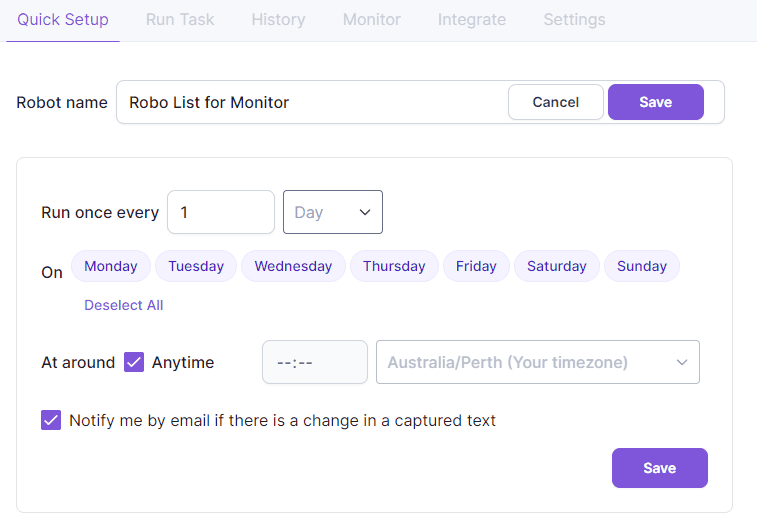
Here, you can set the frequency of robot monitoring and even specify a specific time and time zone, or notify you via email when changes occur.
2. In the second way, after you have initialized and [verified](https://help.browse.ai/article/158-how-to-approve-a-robot) your bot, you can further edit and fine-tune your bot via the "Monitor" tab. Robot. Select the target robot in the dashboard and click "Monitor" to access it:
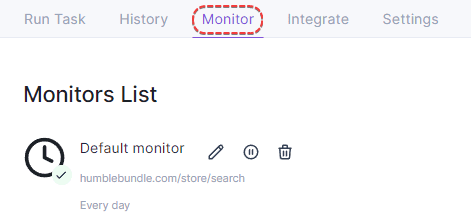
If you set up the bot by monitoring site changes from the beginning, you will see a monitor called "Default Monitor". You can rename it, edit it, or create new monitors in parallel.
However, if you initially chose the Extract Structured Data method, there won't be a monitor initially. But don't worry, you can always add one by going to the "Monitors" tab and clicking + Create New Monitor there: