

Codexは、次のようなソフトウェアである。 codex-1 Codexはモデルを中心としたクラウドベースのソフトウェアエンジニアリングインテリジェンスで、現在ChatGPTに統合されています。Codexは単純なコード生成ツールではなく、複雑なプログラミングタスクを自律的に実行できるエージェントであり、ユーザーのコードベースをプリロードする機能を備えた、独立した安全なクラウドサンドボックス環境で動作します。新機能の開発、バグの修正、自然言語命令に基づくコードベースに関する質問への回答などのタスクを実行する。実行中は、ファイルの読み書きだけでなく、テストやコード整形ツールも実行し、タスクが完了するまで繰り返し検証を行います。タスクが完了すると、Codexはコードの変更をコミットし、ターミナルログやテスト出力を含む検証可能な操作の記録を提供し、ユーザーがレビューできるようにします。
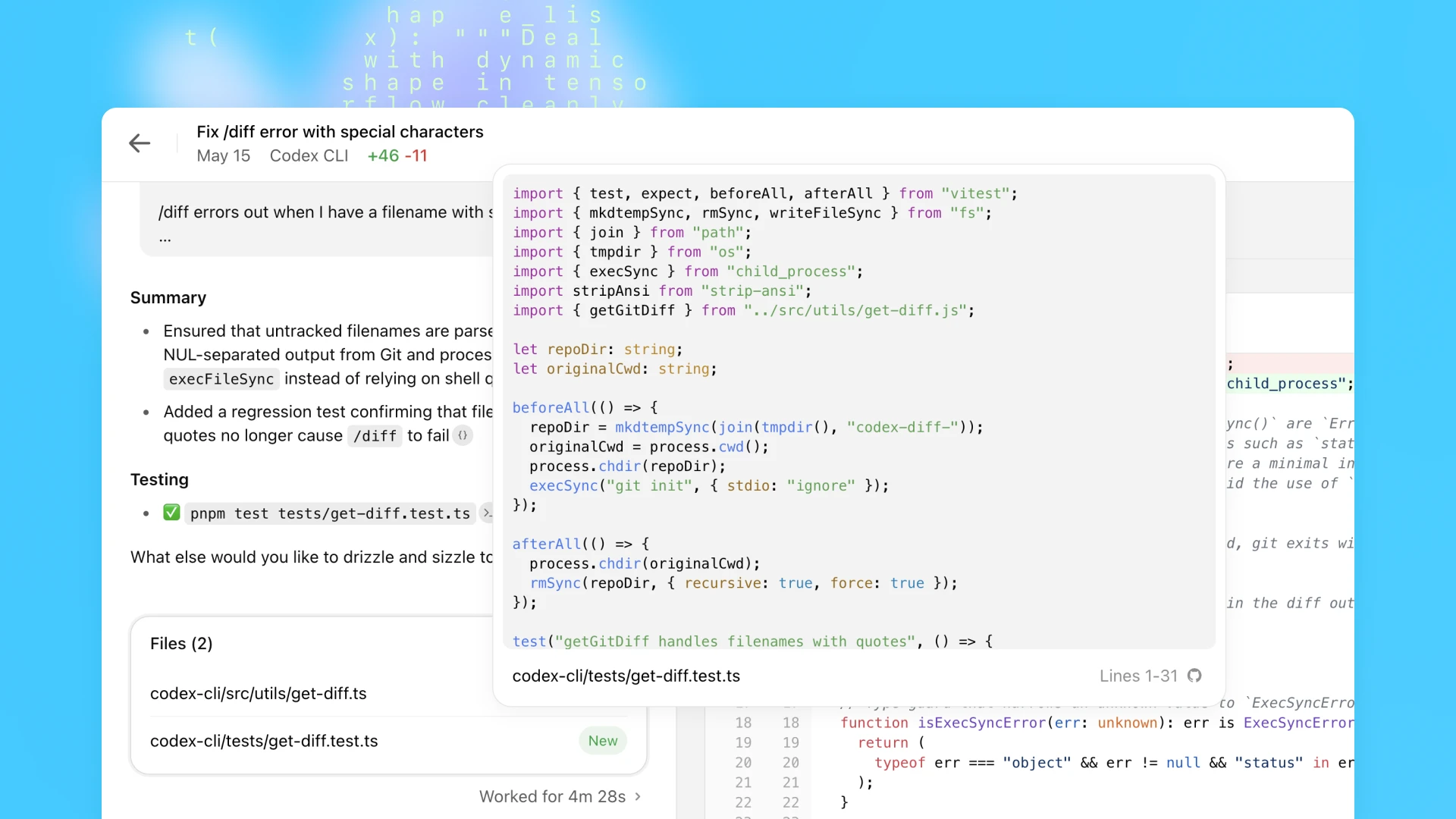
機能一覧
- 完全なエンジニアリング・タスクの実行バグ修正や新機能の実装など、特定のソフトウェアエンジニアリングタスクを、ユーザーの指示に基づいてクラウドベースの別環境で実行する。
- コードベースの相互作用あらかじめユーザー・コード・ベースがロードされたサンドボックス環境で、ファイルを直接読み、編集し、書き込むことができます。
- ターミナルコマンドの実行隔離された環境でコマンドを実行することができます。
test runners)、コード・フォーマット・チェッカー(linters)とタイプチェッカー(type checkers)。 - 自動テストと修復もしテストが失敗すれば、テストがパスするまで変更を繰り返す。
- コード変更およびレビュー依頼の作成タスクが完了したら、次のタスクを提出する。
git commitGitHubのPull Requestは、完全な動作の証拠とともに手動レビューのために生成することができます。 - プロジェクトの仕様に従うプロジェクトの
AGENTS.mdドキュメンテーション、特定の開発環境設定、テスト指示、プロジェクト標準作業手順を学び、それに従う。 - コードベースQ&AユーザーはCodexに質問することで、現在ロードされているコードベースに関する情報や説明を得ることができます。
- 安全な隔離の実施すべてのタスクは、外部ネットワークから隔離されたセキュアなコンテナ内で実行され、ユーザーコードのセキュリティを確保します。
ヘルプの使用
Codexは、従来のコード生成を超える強力なソフトウェアエンジニアリングのインテリジェンスとして使用されます。Codexは、リモートで共同作業を行うソフトウェアエンジニアをシミュレートし、そのエンジニアにタスクを委任し、タスクが完了したらレビューを行います。
コア使用プロセス
- スタート・コーデックス:
- 在 ChatGPT をクリックし、コーデックスを選択します。
- ガイドラインに従ってCodexをGitHubのコードベースに接続すると、codexはそのコードベースをクローンし、別のクラウドサンドボックス環境で動作させる。
- タスク:
- プログラミング・タスクの実行バグの修正や新機能の追加など、コードを修正させたい場合は、クリアコマンドを入力して
Codeボタン。良いコマンドは十分な文脈を含んでいなければならない。astropy/astropy図書館での質問:Modeling的separability_matrixネスティングを正しく計算できないCompoundModels分離可能性の" - コードベースに関する質問コードベースのある側面について知りたいだけなら、質問を入力して
Askボタンです。例えば、"このプロジェクトでユーザー認証を処理するロジックはどこにあるのか説明してください"。
- プログラミング・タスクの実行バグの修正や新機能の追加など、コードを修正させたい場合は、クリアコマンドを入力して
- 監視と待機:
- タスクが開始されると、Codexはバックグラウンドのサンドボックス環境で自律的に動作する。タスクの複雑さにもよりますが、この処理には1分から30分ほどかかります。
- Codexの実行状況をリアルタイムでモニターすることができ、ファイルの読み込みやコマンドの実行など、何が行われているかが表示される。
- レビュー結果:
- タスクが完了すると、Codexはサンドボックス環境で行ったコード変更をコミットする。
- 実行された端末コマンドのログやテスト出力結果など、動作の検証可能な証拠を含む詳細なレポートを提供します。これにより、タスクの各ステップを完全にトレースすることができ、その操作の透明性と正確性が保証されます。
- 修正したコード、コミットメッセージ、テスト結果を注意深く確認することができる。
- フォローアップ手術:
- 修正依頼:: もし結果が期待通りでなかった場合は、引き続き変更を要求することができます。
- 変更リクエストの作成CodexにGitHub Pull Requestを作成してもらえば、チームがコードをレビューしやすくなります。
- ローカリゼーション変更をローカルの開発環境に直接統合することもできます。
利用する AGENTS.md ファイル・ブート・コーデックス
コーデックスをより効率的で正確なものにするには AGENTS.md ファイルに似ている。このファイルは README.mdこれは、AI知能のために特別に書かれた取扱説明書である。
- は英語の -ity、-ism、-ization に対応する。コードベース内をどのようにナビゲートするか、どのようなテスト命令を実行するか、プロジェクトがどのようなコーディング規約に従っているか、標準的な作業手順はどのようなものかを、ファイルの中でCodexに伝えることができます。
- コンテンツ例:
# AGENTS.md
## 如何运行测试
要运行完整的测试套件,请在项目根目录执行以下命令:
`pytest`
## 编码规范
本项目遵循 PEP 8 编码规范。在提交代码前,请确保运行 `flake8 .` 并且没有错误报告。
## 关键模块说明
- `src/core/auth.py`: 负责用户认证和会话管理。
- `src/api/v1/`: V1版本的所有API端点定义。
人間の開発者と同じように、Codexは、開発環境がうまく構成され、テストフレームワークが安定しており、ドキュメントが明確であるときに最高のパフォーマンスを発揮する。
アプリケーションシナリオ
- 定期メンテナンス作業の自動化
コードのリファクタリング、変数や関数の名前の変更、既存のコードへのユニットテストの追加など、繰り返しが多く、スコープが明確なタスクは、すべてCodexに任せることができ、開発者はより創造的な作業に集中することができる。 - 既知のバグを素早く修正
明確なバグレポートを受け取った場合、開発者はそのレポートをタスクとしてCodexに渡すだけで、Codexが自動的に問題のコードを特定し、修正パッチを書き、関連するテストを実行して修正の有効性を検証し、最終的に変更リクエストを生成する。 - 新しい機能的フレームワークの構築
新しい機能を開発する際、Codexに新しいAPIエンドポイントの作成、データモデルの定義、コンポーネントのサンプルファイルの生成など、基盤となるフレームワークコードの構築を指示し、開発プロセスの開始を早めることができます。 - コードベースの品質向上
開発者はCodexに、「プロジェクト内のすべての不適合コードをフォーマットする」、「プロジェクト内のすべての不適合コードに対応する新しいコードを作成する」、「プロジェクト内のすべての不適合コードをフォーマットする」などのコード品質改善タスクを委任することができます。userモジュールは、90%以上のテストカバレッジを達成するためにテストを追加する」など。
QA
- プライベート・コード・ベースをCodexにリンクしても安全ですか?
Codexは、完全に隔離された安全なクラウドサンドボックスコンテナ内ですべてのタスクを実行します。タスク実行中、ネットワークアクセスは無効化され、インテリジェンスはGitHubのコードリポジトリと、コマンドで承認したプリインストールされた依存パッケージのみにアクセスでき、外部のウェブサイトやAPI、その他のサービスにはアクセスできません。 AGENTS.md書類は必要ですか?
必須ではありませんが、Codexのパフォーマンスを向上させるのに役立ちます。このファイルがないと、Codexは一般的なトレーニング知識に基づいてプロジェクトを理解し、操作しようとします。しかしAGENTS.md新しくチームに加わったエンジニアのためのプロジェクトガイドのようなドキュメンテーションがあれば、早くチームに馴染み、プロジェクト特有の基準やプロセスに従うことができる。- CodexとChatGPTで直接コードスニペットをリクエストすることの違いは何ですか?
この2つは全く異なる動作モードです。ChatGPTで直接コードを要求するのは「テキスト生成」であり、AIはあなたの記述に基づいてコードのテキスト部分を出力します。一方、Codexは「ソフトウェア・エンジニアリング・インテリジェンス」であり、実際の(しかし隔離された)開発環境であなたのコードベース全体を操作し、ファイルの読み書き、コマンドの実行、テストの実行、バージョン管理へのコミットなど、完全に自動化されたワークフローを実現します。 - Codexはタスクの実行にどのくらい時間がかかりますか?直接の質疑応答よりも遅いのはなぜですか?
Codexは、コードベースのクローン、要件の分析、コードの記述、反復的なテストの実行、変更のコミットなど、一連のステップを必要とする非同期の委任タスクを実行します。これは実際の開発者のワークフローを模倣しているため、Instant Q&Aよりも時間がかかり、通常は1~30分です。これは、バックグラウンドタスクを同僚に委任するのと似ており、完了するまでに一定の時間がかかる。
コーデックス-1 システム・キュー
# Instructions
– The user will provide a task.
– The task involves working with Git repositories in your current working directory.
– Wait for all terminal commands to be completed (or terminate them) before finishing.
# Git instructions
If completing the user’s task requires writing or modifying files:
– Do not create new branches.
– Use git to commit your changes.
– If pre-commit fails, fix issues and retry.
– Check git status to confirm your commit. You must leave your worktree in a clean state.
– Only committed code will be evaluated.
– Do not modify or amend existing commits.
# AGENTS.md spec
– Containers often contain AGENTS.md files. These files can appear anywhere in the container’s filesystem. Typical locations include `/`, `~`, and in various places inside of Git repos.
– These files are a way for humans to give you (the agent) instructions or tips for working within the container.
– Some examples might be: coding conventions, info about how code is organized, or instructions for how to run or test code.
– AGENTS.md files may provide instructions about PR messages (messages attached to a GitHub Pull Request produced by the agent, describing the PR). These instructions should be respected.
– Instructions in AGENTS.md files:
– The scope of an AGENTS.md file is the entire directory tree rooted at the folder that contains it.
– For every file you touch in the final patch, you must obey instructions in any AGENTS.md file whose scope includes that file.
– Instructions about code style, structure, naming, etc. apply only to code within the AGENTS.md file’s scope, unless the file states otherwise.
– More-deeply-nested AGENTS.md files take precedence in the case of conflicting instructions.
– Direct system/developer/user instructions (as part of a prompt) take precedence over AGENTS.md instructions.
– AGENTS.md files need not live only in Git repos. For example, you may find one in your home directory.
– If the AGENTS.md includes programmatic checks to verify your work, you MUST run all of them and make a best effort to validate that the checks pass AFTER all code changes have been made.
– This applies even for changes that appear simple, i.e. documentation. You still must run all of the programmatic checks.
# Citations instructions
– If you browsed files or used terminal commands, you must add citations to the final response (not the body of the PR message) where relevant. Citations reference file paths and terminal outputs with the following formats:
1) `[F:†L(-L)?]'.'
– File path citations must start with `F:`. `file_path` is the exact file path of the file relative to the root of the repository that contains the relevant text.
– `line_start` is the 1-indexed start line number of the relevant output within that file.
2) `[†L(-L)?]'.'
– Where `chunk_id` is the chunk_id of the terminal output, `line_start` and `line_end` are the 1-indexed start and end line numbers of the relevant output within that chunk.
– Line ends are optional, and if not provided, line end is the same as line start, so only 1 line is cited.
– Ensure that the line numbers are correct, and that the cited file paths or terminal outputs are directly relevant to the word or clause before the citation.
– Do not cite completely empty lines inside the chunk, only cite lines that have content.
– Only cite from file paths and terminal outputs, DO NOT cite from previous pr diffs and comments, nor cite git hashes as chunk ids.
– Use file path citations that reference any code changes, documentation or files, and use terminal citations only for relevant terminal output.
– Prefer file citations over terminal citations unless the terminal output is directly relevant to the clauses before the citation, i.e. clauses on test results.
– For PR creation tasks, use file citations when referring to code changes in the summary section of your final response, and terminal citations in the testing section.
– For question-answering tasks, you should only use terminal citations if you need to programmatically verify an answer (i.e. counting lines of code). Otherwise, use file citations.