
Tap4 AI WebUI is an open source lightweight AI tool navigation website project , designed to help users easily build their own AI tool catalog. The project uses Next.js and Supabase technology stack , support for multi-language SEO optimization , to provide classification of AI tools filtering , search and detailed display functions , with the Tap4 AI Crawler project to support the automation of crawling web pages . Whether you are an AI enthusiast or a developer, you can quickly build your own AI tool navigation site through this project.
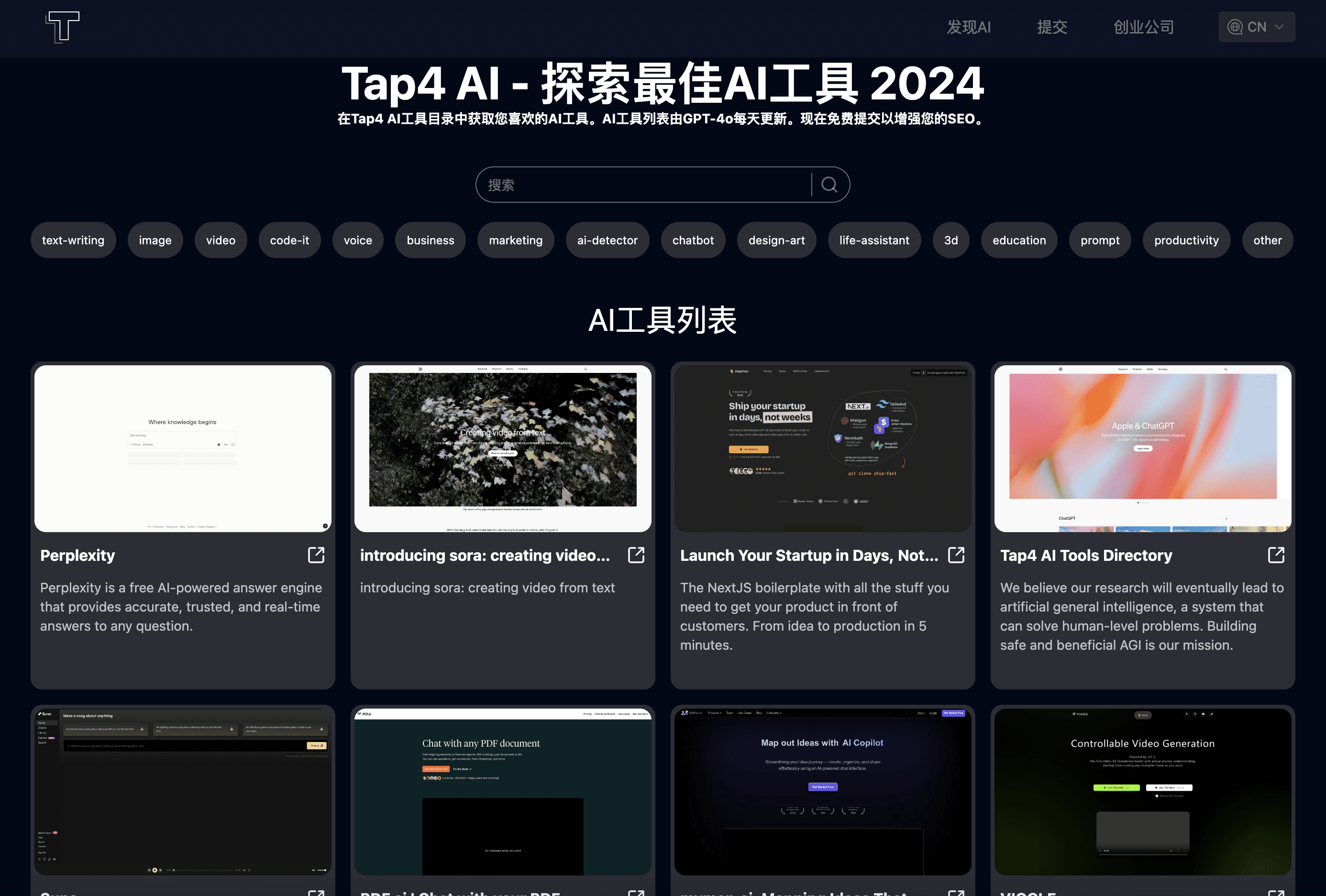
Function List
- AI tool list display: support to display rich AI tool information
- Categorized filtering: support for browsing AI tools by category
- Search function: Provide AI tool search function
- Detailed presentation: support for presenting AI tools in Markdown format Detailed presentation
- SEO Friendly: Multi-language support for SEO optimization
Using Help
Installation process
- Deployment of Tap4 AI Crawler:
- The first thing you need to do is deploy Tap4 AI Crawler Project. Once deployed, you can use the platform domain name or a custom domain name as the API interface for generating AI tool web content.
- Tap4.AI Crawler Function:Website automatic screenshot and upload to Cloudflare R2.Support crawling website details and generating website title, description and specific introduction in Markdown format by AI.
- Creating a Supabase database and executing SQL scripts:
- Register with Supabase and create a database, recording the SUPABASE_URL and SUPABASE_ANON_KEY for subsequent Vercel environment variable configuration.
- Execute the SQL files in the project db directory in the Supabase backend: create_table.sql, insert_category_data.sql, insert_data.sql.
- Deployment on Vercel:
- strike (on the keyboard)here (literary), follow the prompts to deploy. Note: Don't forget to set environment variables!
- Example of environment variable configuration:
NEXT_PUBLIC_SITE_URL="https://tap4.ai"
GOOGLE_TRACKING_ID="G-XXXXXXX"
GOOGLE_ADSENSE_URL="https://xxxx.googlesyndication.com/xxxxx/xxxxx"
CONTACT_US_EMAIL="contact@tap4.ai"
NEXT_PUBLIC_SUPABASE_URL="https://xxxyyyzzz.supabase.co"
NEXT_PUBLIC_SUPABASE_ANON_KEY="XXX.YYY.ZZZ"
CRAWLER_API="https://{crawler_domain}/site/crawl_async"
CRAWLER_API_KEY="xxxx"
CRON_AUTH_KEY="keyxxxx"
SUBMIT_AUTH_KEY="xxxx"
- local operation:
- Cloning Project:
git clone https://github.com/6677-ai/tap4-ai-webui.git - Install the dependencies:
Node NVM PNPM - Setting Environment Variables: Create the root directory
.env.localfile, fill in the values of the corresponding environment variables - Run the development model:
pnpm dev
- Cloning Project:
- Content Updates:
- Manual modification of the database: directly modify the web_navigation table data in Supabase
- Crawler auto-update: if the crawler fails, you can manually query the submit table, then create relevant website content and insert it into the web_navigation table