
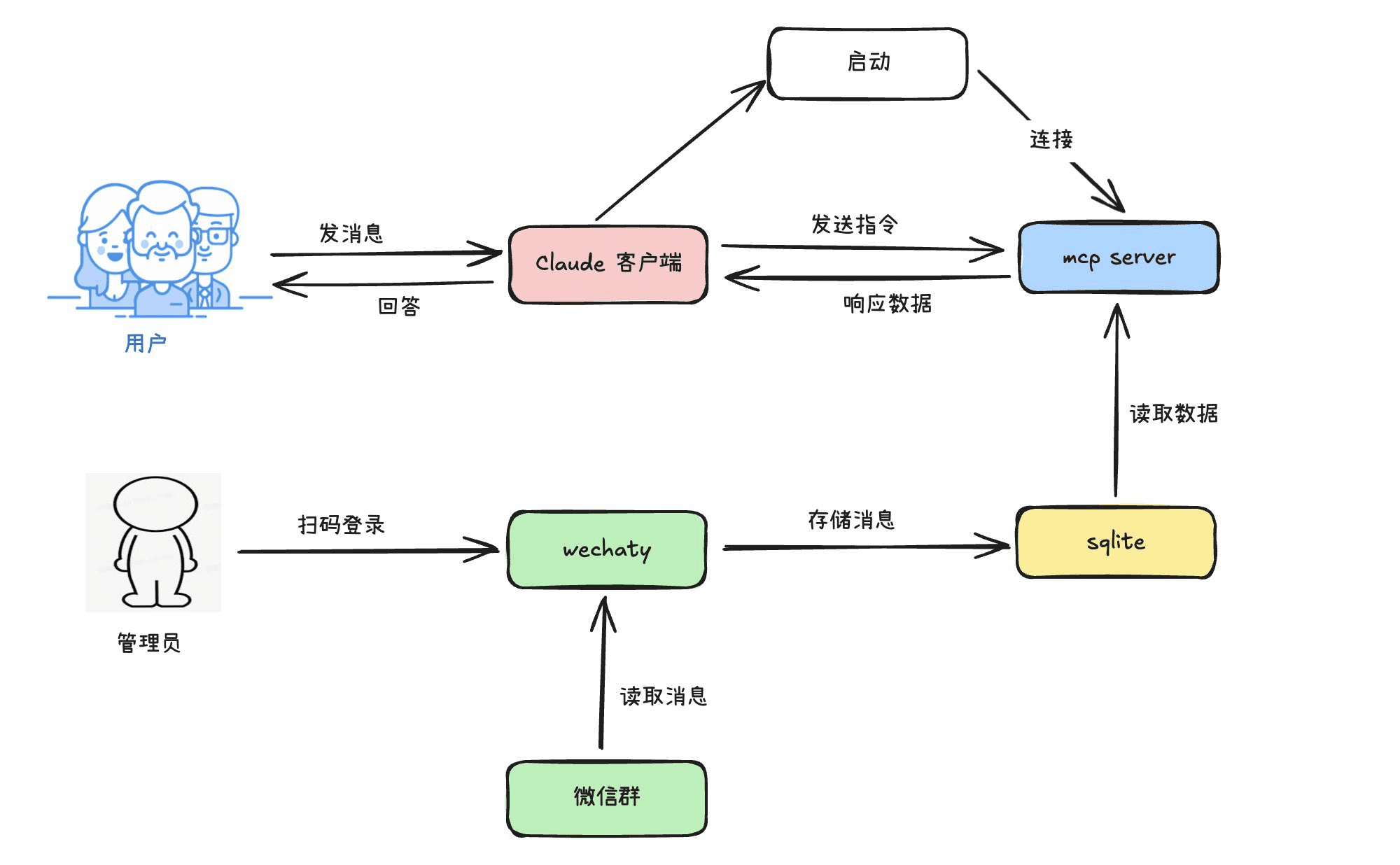
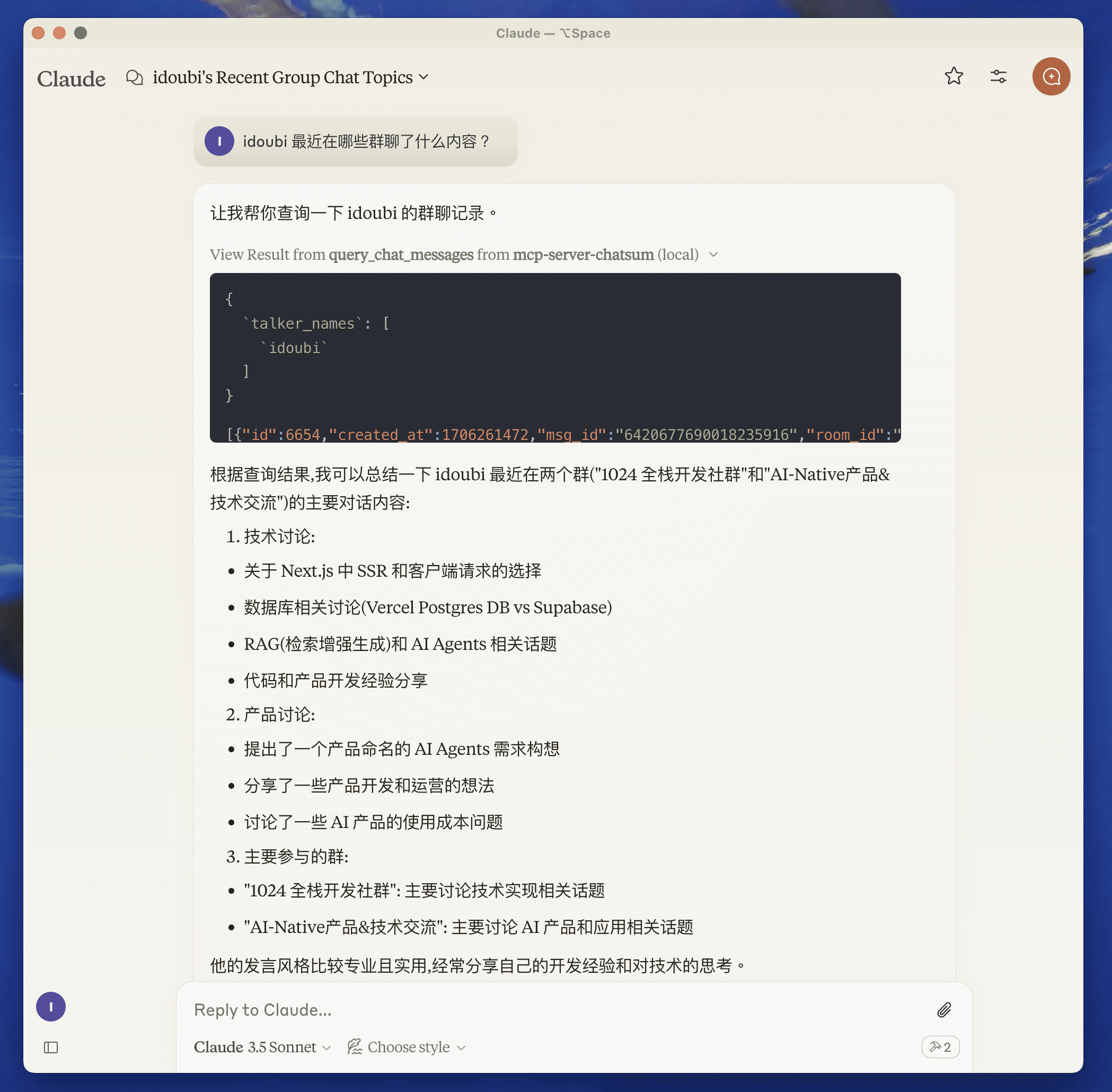
MCP Server ChatSum is an open source project designed to help users query and summarize chat messages. The project is hosted on GitHub and provides a powerful toolset that allows users to query chat logs based on specific parameters and generate corresponding summaries.MCP Server ChatSum is mainly written in TypeScript and JavaScript , and supports a variety of development and debugging tools , so that it is easy for users to develop and deploy in different environments . This project is especially suitable for users who need to manage and analyze a large amount of chat data, such as customer service centers, online community managers and so on.
Function List
- Query Chat Messages: Query chat logs based on given parameters.
- Summarize Chat Messages: Generate chat log summaries based on query prompts.
- Environment variable setting: Configure the chat database path via .env file.
- Dependency installation: Use pnpm to install project dependencies.
- Server build: Use pnpm to build the server.
- Auto-rebuild: supports auto-rebuild function during development.
- Debugging tool: MCP Inspector is provided for debugging.
Using Help
Dependencies: https://github.com/mcpso/mcp-server-chatsum/tree/main/chatbot
Installation and configuration
- Setting environment variables: Create the .env file in the project root directory and set the chat database path.
CHAT_DB_PATH=path-to/chatbot/data/chat.db
- Installation of dependencies: Install project dependencies using pnpm.
pnpm install
- Build Server: Build the server using pnpm.
pnpm build
- Auto-rebuild: Use the following command to start the auto-rebuild function during development.
pnpm watch
Usage Functions
- Check Chat Messages: After starting the server, you can query the chat logs by providing specific parameters.
query_chat_messages - Query chat messages with given parameters
- Summarizing Chat Messages: Generate chat log summaries based on query prompts.
summarize_chat_messages - Summarize chat messages based on the query prompt
adjust components during testing
Since the MCP server communicates via stdio, debugging can be a bit challenging. It is recommended to use MCP Inspector for debugging. You can start MCP Inspector with the following command:
pnpm inspector
Upon startup, Inspector provides a URL that the user can access in a browser to begin debugging.