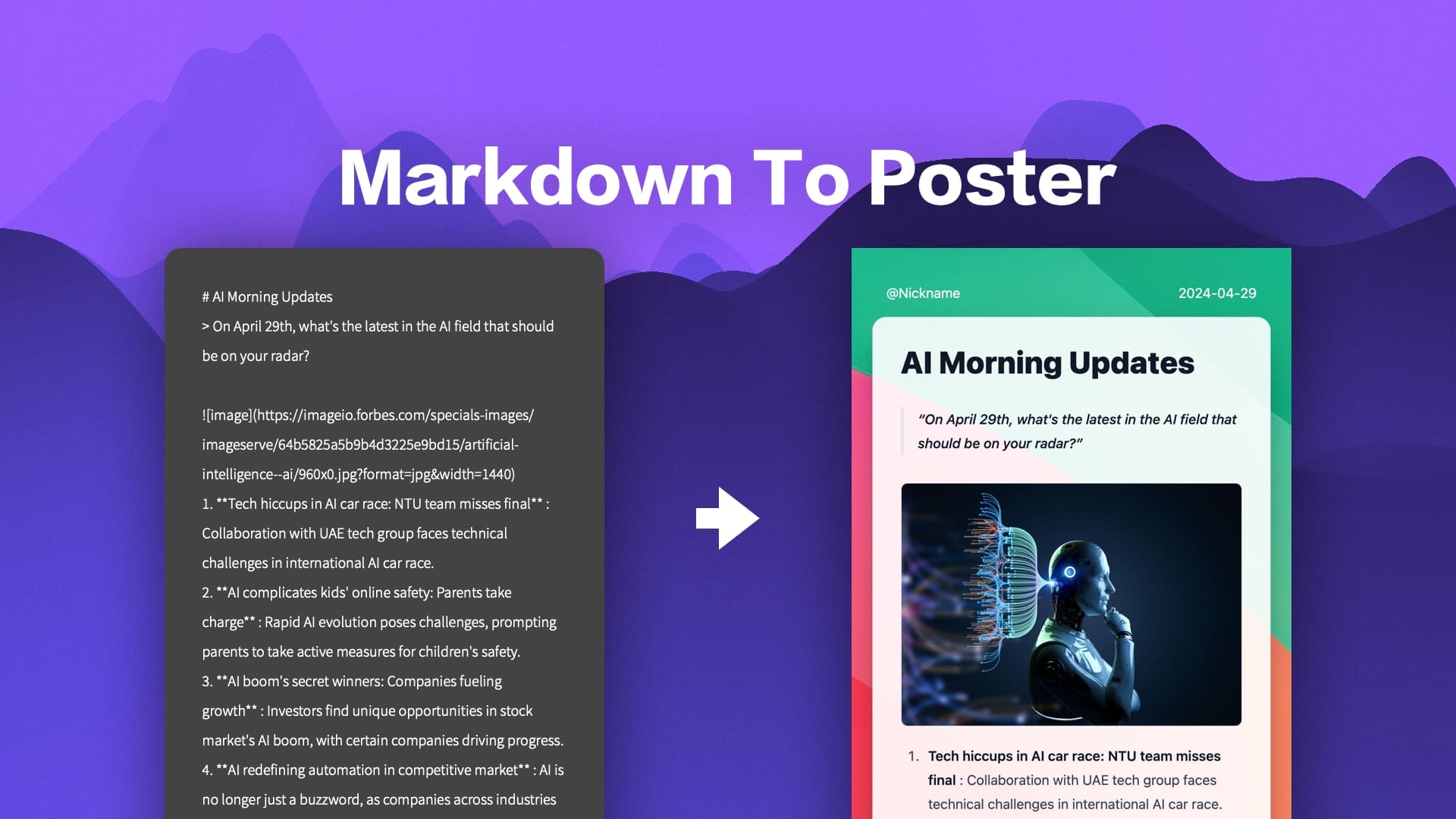
Markdown to Image is a React component for rendering Markdown text into visually appealing social media images. The project also includes a built-in web editor that can be used as an online Markdown to Poster editor and supports one-click deployment. Users can use the component in a number of ways, including integrating it into a project or using the online editor to edit and generate images.
Online experience: https://readpo.com/poster
Function List
- Render Markdown for poster images optimized for social sharing
- Built-in templates support customized templates
- Provides 9 preset themes to choose from
- Copy the output as an image
- One-click deployment to platforms like Vercel
- Integrated image CORS proxy for easy insertion of online images into posters
- Copy output as HTML code for easy pasting into emails and editors
Using Help
Installation process
- cloning project :
git clone https://github.com/gcui-art/markdown-to-image
cd markdown-to-image
- Installation of dependencies :
npm install
- Starting services :
npm run dev
- Access to the editor :
Open your browser and visithttp://localhost:3000You can use the online editor.
Using the Web Editor
- Open the editor :
interviews Online Editor。 - Entering Markdown Content :
Type or paste your Markdown content in the editor. - Choose a template and theme :
Choose from one of the preset templates and themes or customize yours. - Generate Image :
Click the Generate button to render beautiful social media images. - Copy or download :
You can copy the generated image to the clipboard or download it as an image file.
Integration into projects
- installed component :
npm i markdown-to-poster
- Introducing Components :
import 'markdown-to-poster/dist/style.css';
import { Md2Poster, Md2PosterContent, Md2PosterHeader, Md2PosterFooter } from 'markdown-to-poster';
- Using Components :
const markdown = `# 标题\n这是一个示例 Markdown 内容。`;
return (
<Md2Poster>
<Md2PosterHeader>海报标题</Md2PosterHeader>
<Md2PosterContent>{markdown}</Md2PosterContent>
<Md2PosterFooter>海报底部</Md2PosterFooter>
</Md2Poster>
);
Customized templates and themes
- Select a preset theme :
The project offers 9 preset themes that you can choose from in the editor. - Customized templates :
You can customize the template to modify the style and layout as needed.
Deployment to Vercel
- One-Click Deployment :
strike (on the keyboard)project pageClick the "Deploy with Vercel" button and follow the prompts to complete the deployment. - Customized domain names :
Once deployed, you can configure a custom domain name for your editor.
Detailed function operation flow
- Rendering Markdown as an image: Enter Markdown text into the editor, choose a preset theme or custom template, and click the Generate button to generate a poster image optimized for social sharing.
- Copy the output as an image: After generating an image, click the Copy button to copy the image to the clipboard for easy pasting into other applications.
- One-Click Deployment: One-click deployment through platforms like Vercel to quickly build your own online Markdown to Poster Editor.
- Integrated Picture CORS Agent: Inserting an online image link into Markdown text, the editor will automatically handle CORS issues and ensure that the image is displayed properly.