
Flashcard is an open source language learning tool designed to provide an alternative to Duolingo. Developed by Steven Lynn (GitHub username: stvlynn), the project employs a modernized user interface and multi-language support to help users learn languages more intelligently.Flashcard utilizes artificial intelligence technology to provide a dynamic system of mnemonic cards, supports a multi-language interface (both in English and Chinese), and includes features such as pronunciation guides and related vocabulary suggestions Features. Users can personalize their learning experience through a self-hosted back-end system.
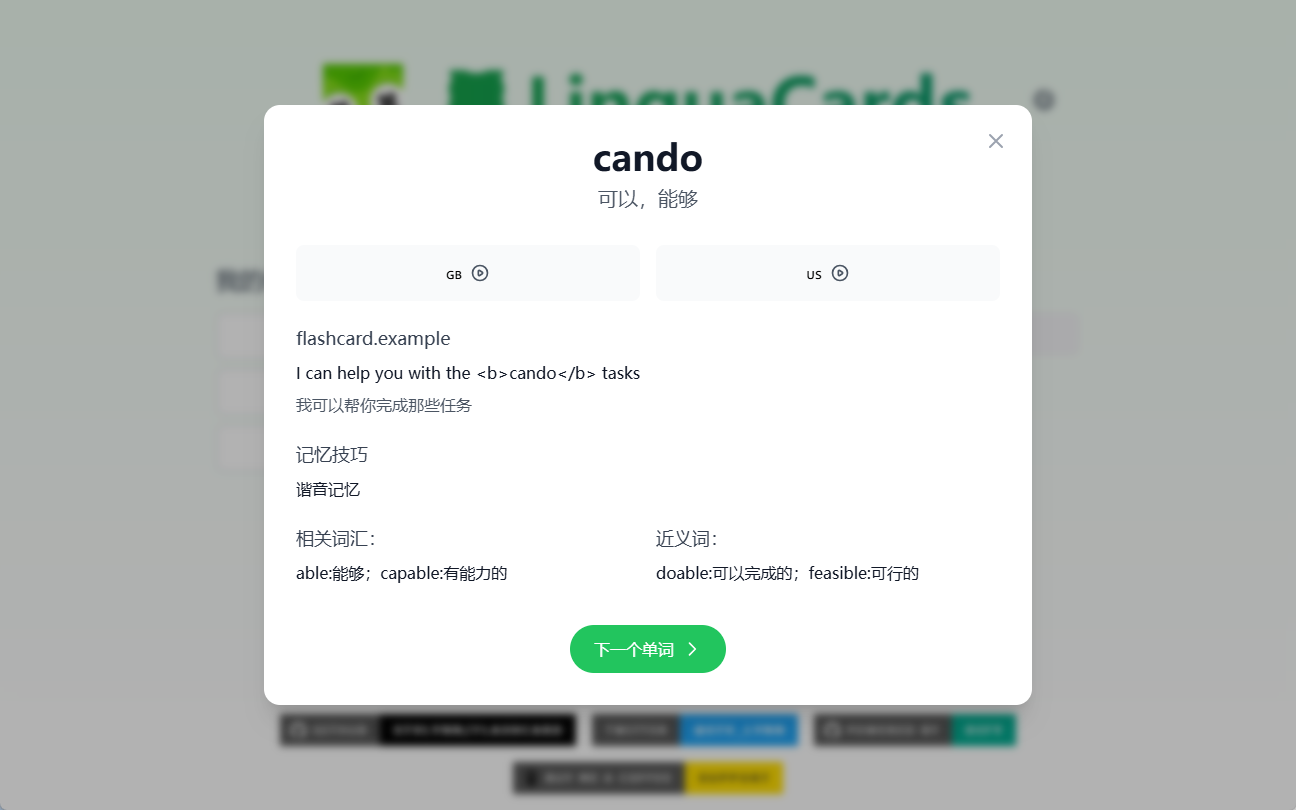
Function List
- Dynamic memory card system, utilizing artificial intelligence technology to enhance memory effects
- Multi-language interface support (English/Chinese)
- Modernized user interface, designed with Tailwind CSS
- Provides a guide to English and American pronunciation
- Relevant vocabulary suggestions to help expand vocabulary
- Self-hosted back-end system with support for personalization
- Open source, community contributions are welcome for new language packs, UI improvements, and AI hint optimizations!
Using Help
Installation process
- Clone the project code:
   git clone https://github.com/stvlynn/flashcard.git
cd flashcard
- Install the dependencies:
npm install
- Configure the environment variables: Create a
.envfile and add the following:
   VITE_DIFY_API_KEY=your_dify_api_key
VITE_DIFY_API_URL=your_workflow_endpoint
- Start the development server:
npm run dev
Guidelines for use
- Dynamic Memory Card System:
- Once in the app, select the language you want to learn.
- The system will dynamically generate memory cards based on your learning progress and memorization.
- Each card contains the word, pronunciation and example sentences to help you master the vocabulary fully.
- Multi-language interface support:
- Choose your preferred interface language in the settings (currently English and Chinese are supported).
- The interface language is switched instantly for users with different language backgrounds.
- Pronunciation guide:
- There are pronunciation buttons on each word card, click on them to hear the British and American pronunciation.
- Improve your pronunciation accuracy by listening and imitating over and over again.
- Related vocabulary suggestions:
- The system will help you expand your vocabulary by recommending related words based on the words you are currently learning.
- These vocabulary words will appear at the bottom of the card and can be clicked on to see the details.
- Self-hosted back-end system:
- Log in to the Dify dashboard, create a new workflow and import it
dify-config.ymlDocumentation. - update
.envAPI keys and workflow endpoints in the documentation to complete the personalization.
- Log in to the Dify dashboard, create a new workflow and import it
- Community Contributions:
- Developers are welcome to contribute new language packs to be added to the
public/locales/[lang]/Catalog. - Submit UI improvements and AI prompt optimizations to enhance the user experience.
- Submit bug reports and suggestions for improvement to help the project continue to improve.
- Developers are welcome to contribute new language packs to be added to the