
AI Beehive (ai-beehive) is a multifunctional AI platform built on Java with Spring Boot 3 and JDK 17. The project integrates a variety of AI technologies, including ChatGPT, OpenAI image generation, Midjourney, NewBing, and Baidu Wenxin Yiyin, etc., aiming to provide a modular, scalable AI application development environment.
Function List
- ChatGPT Integration: Support for OpenAI GPT 3.5 and GPT 4 models.
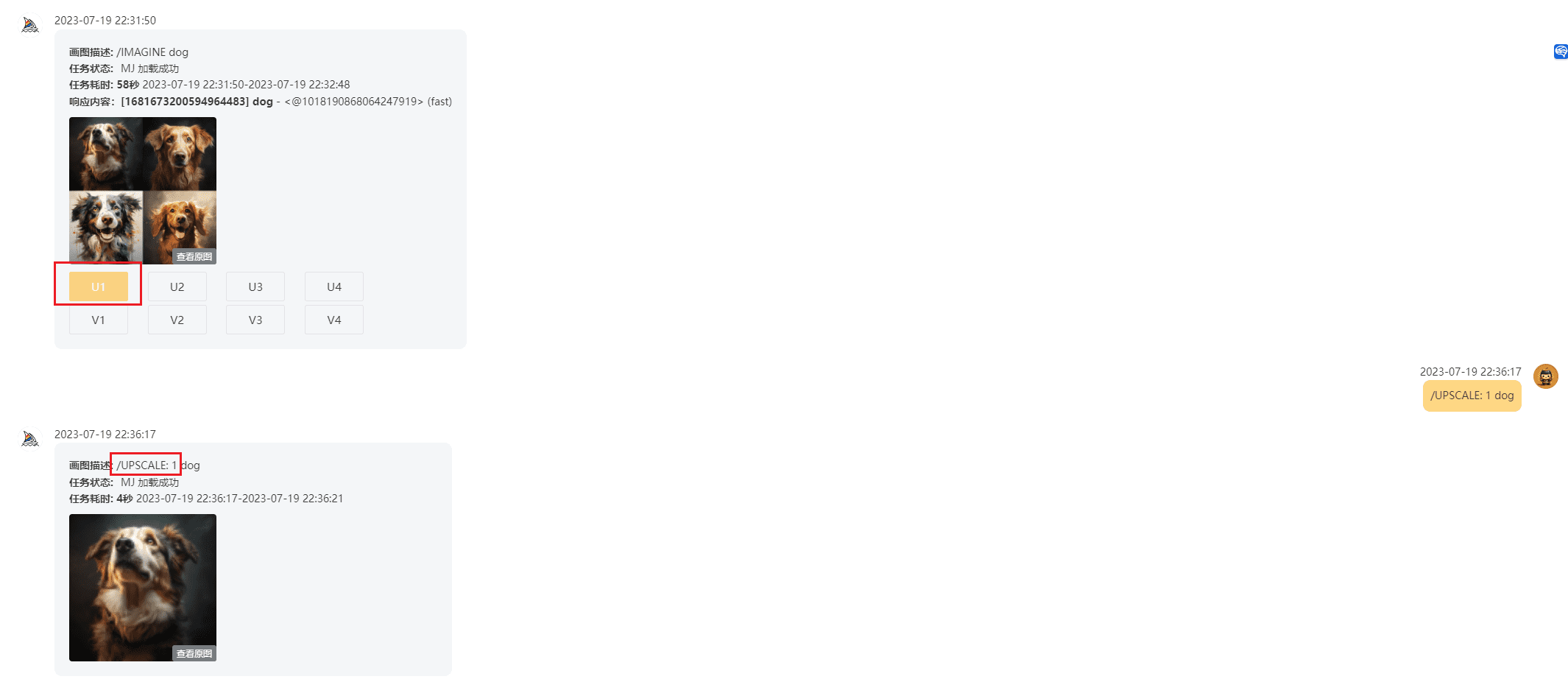
- Image Generation: Integration of OpenAI Image and Midjourney Image generation function.
- Intelligent Search: Supports the NewBing intelligent search engine.
- in a word: Integrate Baidu's Wenshin Yiyin dialog function.
- user management: Support mailbox registration and login, permission verification and user status management.
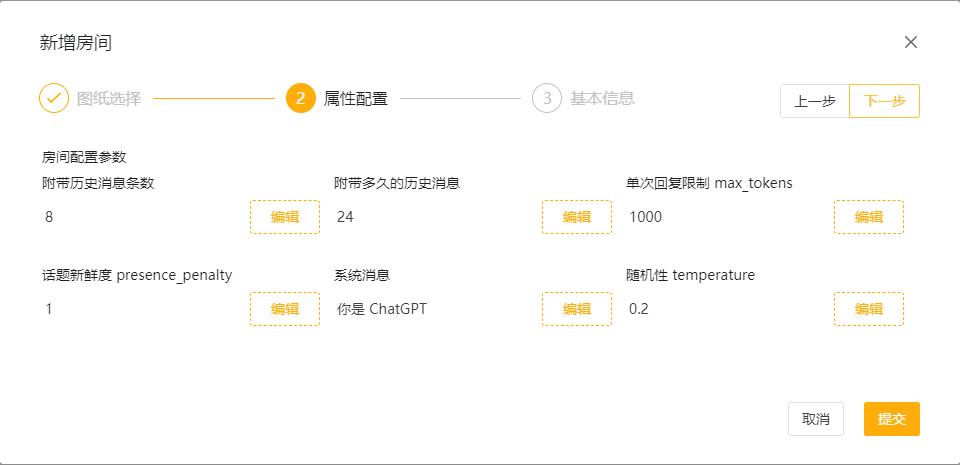
- Drawing management: Modular management of different AI functions through drawing configuration.
- privilege control: Functional control based on drawing status and user rights.
- Configuration Item Management: Supports database maintenance and permission setting for drawing configuration items.
Using Help
Installation and Configuration
- environmental preparation:
- Install MySQL and Redis.
- Ensure that JDK 17 and Maven are installed on your system.
- Project Clone:
git clone https://github.com/hncboy/ai-beehive.git cd ai-beehive - Database Configuration:
- 在
beehive-bootstrap/src/main/resources/db/schema-mysql.sqlto find the database initialization script, create the database and import the script. - modifications
application.ymlfile for the database connection configuration.
- 在
- Initiation of projects:
- Open the project using an IDE (e.g. IntelliJ IDEA), run the
BeehiveApplicationMain Category. - After the project has started, access the
http://localhost:8080Perform functional testing.
- Open the project using an IDE (e.g. IntelliJ IDEA), run the
Function Operation
- User Registration and Login:
- Visit the login page and register using your email address.
- Registration requires administrator approval before logging in.
- Drawing management:
- Log in to the Drawing Management page and select the desired AI-enabled drawing.
- Configure drawing parameters, save and publish drawings.
- Permission settings:
- On the Privilege Management screen, you can set up user access privileges for different drawings.
- Browsing privileges and usage rights can be set to ensure the safe use of drawings.
- Using AI Features:
- Select a published drawing to go to the corresponding function page.
- Enter the relevant parameters to invoke AI functions for operations such as generating images or conducting a dialog.
common problems
- Unable to connect to database: Check that the database configuration is correct and that the MySQL service is started.
- Drawings could not be released: Verify that drawing configuration items are complete and check the status of drawings in the database.
- Users can't log in: Ensure that the user's status is normal by checking the user's Token in Redis.