
Zhihu Direct (zhida.ai) is a smart Q&A and search tool based on AI big model launched by Zhihu. It is centered on the high-quality content of the Zhihu community and combines multiple data sources to provide users with reliable access to information. ZhihuDirect not only generates both abbreviated and in-depth answers, but also supports content lookup and user search, aiming to shorten the distance between users and high-quality content, and improve the efficiency and accuracy of information access.
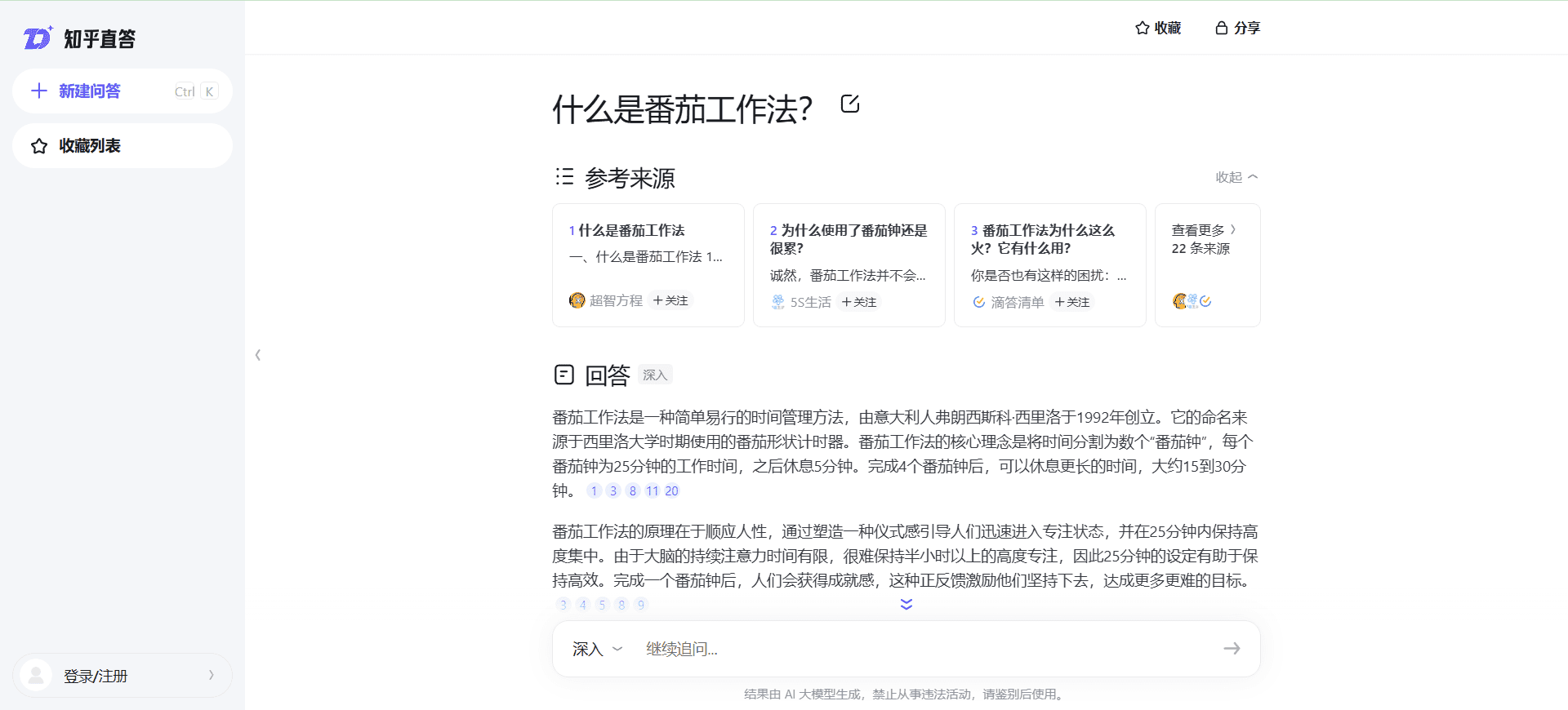
Function List
- intelligent question and answer (Q&A): Provide two answer generation modes, abbreviated and in-depth, to meet the needs of different scenarios.
- Content Search: Not only can you find relevant content, but you can also directly search for users on Zhihu.
- Integration of multiple data sources: Combine the Knowles community and information from across the web to provide a comprehensive search experience.
- The answer goes back to the source.: Traceability of the generated results to ensure credibility and copyright protection of the content.
- User Interaction: Support interactive methods such as likes and comments to enhance user engagement.
Using Help
How to use Know Direct
- Access to the website:
- Open your browser and enter the URL (https://zhida.zhihu.com/) to visit Know Direct.
- Registration and Login:
- Click the "Register" button in the upper right corner and fill in the necessary information to complete the registration.
- Users who already have an account can click the "Login" button and enter their account number and password to log in.
- Browse and search content:
- Browse recommended top questions and answers on the home page.
- Use the search bar to enter keywords to find topics and issues of interest.
- Questions and answers:
- Click on the "Ask a Question" button at the top of the page, enter the question title and detailed description, select the relevant topic and post the question.
- Browse other users' questions, click on the question to go to the details page, enter your answer and submit it.
- Publish original content:
- Click the "Write Article" button to enter the editing page.
- Enter the title and content of the article, and you can add multimedia elements such as images and videos.
- Once you've finished editing, select the relevant topic and post the article.
- Participate in Topic Discussions:
- Browse related questions and discussions on the topics page.
- Participate in comments and likes to interact with other users.
- Using the Smart Q&A Function:
- Enter a question in the search field, select "Abbreviated" or "In-depth" mode, and the system will generate the appropriate answer.
- Click on the reference source in your answer to view detailed information and data support.
- Find Users:
- Use the search function to find specific users by entering their nicknames or keywords.
- View users' profiles and postings, follow and interact.
Installation and use of mobile applications
- Download Apps:
- Go to the App Store (App Store or Google Play), search for "Zhihu" and download the app.
- Once the installation is complete, open the app and log into your account.
- Use of mobile applications:
- Browse recommended content on the home page and use the search function to find questions and topics.
- Click the "Ask a Question" button in the bottom navigation bar to post a question.
- Go to the "My" page to view your profile and followers.
Hints and Tips
- High-quality answers: Provide detailed, professional answers, citing reliable information and data to increase the credibility of the answer.
- Interactive exchanges: Actively participate in comments and discussions, respecting the views of others and maintaining a friendly atmosphere of communication.
- Content Optimization: Use clear and concise language and sensible typography to enhance the reading experience.