preparatory phase
Before using Dola, you need to make sure that 1) you have the latest version of WhatsApp installed on your smartphone 2) you have a smooth internet connection. There is no need to download additional apps and the entire process can be completed in less than 3 minutes.
Detailed activation steps
- Visit the official website at https://heydola.com/点击 and click on the "Get Dola" button.
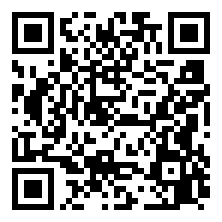
- The system generates exclusive QR code, add it by scanning with WhatsApp
- Or create a new chat in WhatsApp and add +1(628)400-0089 as a contact manually
First Interaction Flow
- Send any greeting to activate the service
- Commands can be started after receiving the welcome menu
- It is recommended to immediately try a simple command test response such as "medical checkup tomorrow morning".
Advanced Settings
Enter "Synchronize Calendar" to bind Google/Apple calendar, after binding, all newly created calendars will automatically appear in the native calendar, while the existing calendar events will be synchronized with Dola system to achieve two-way update.
This answer comes from the articleDola: a mobile AI assistant for quick schedule management in WhatsAppThe
May not be reproduced without permission:AI productivity tools " How do I get started with Dola via WhatsApp and what are the exact steps?