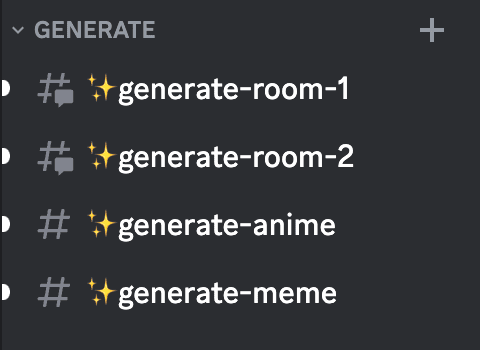
1. Click and enter any generated video room channel.
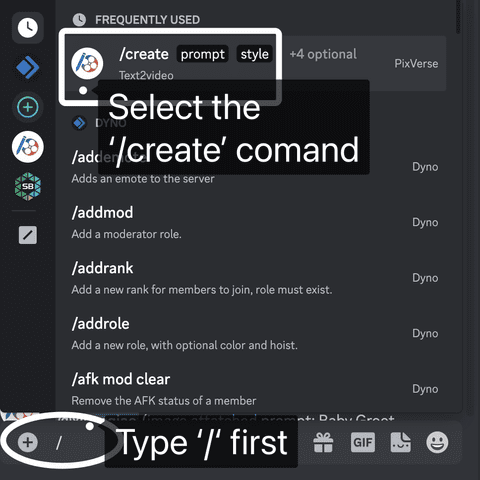
2. Type `/` and select the `/create` command from the pop-up menu.
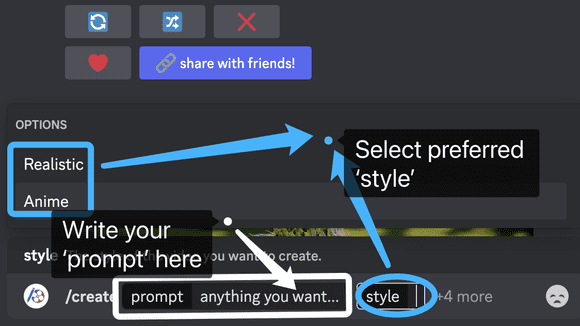
### 3. Enter whatever you want as the `prompt`.
(e.g.) `/create`
- A bluebird standing in the water
- A bluebird standing in the water
- A young man walking alone in the forest
- A young man walking alone in the forest
- A rabbit wearing a purple robe walking through a fantasy landscape
- A lone child in a purple robe walks through a fantastical landscape
- A futuristic cyberpunk cityscape at night with towering neon-lit skyscrapers
- Futuristic cyberpunk cityscape at night with towering heavy rainbow-lit skyscrapers
4. Selection of `parameter`
Choose your favorite `style`, such as `Anime` or `Realistic`.
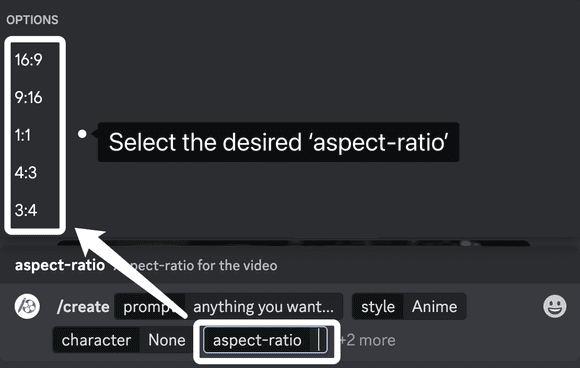
Select the desired `aspect-ratio`, e.g. `16:9`, `9:16`, `1:1`, `4:3` or `3:4`.
Select more parameters...
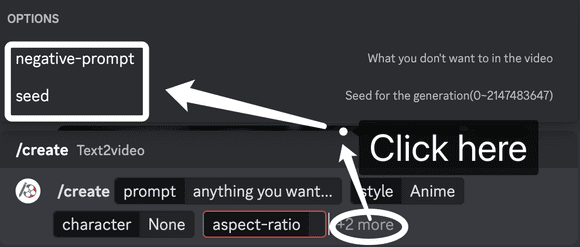
👉 `seed` is a parameter used in video generation to determine the content of the generated video. By changing the seed, you have the freedom to choose and get different video results, or to use a specific seed to generate a specific video generation effect.
`negative prompt` refers to negative keywords used during the video generation process to filter out unwanted content and ensure more accurate and desired results. For example, enter `motionless` to emphasize the lack of motion.
5. Downloading
👉 Wait for the video to be ready.
👀 Check out your creations!
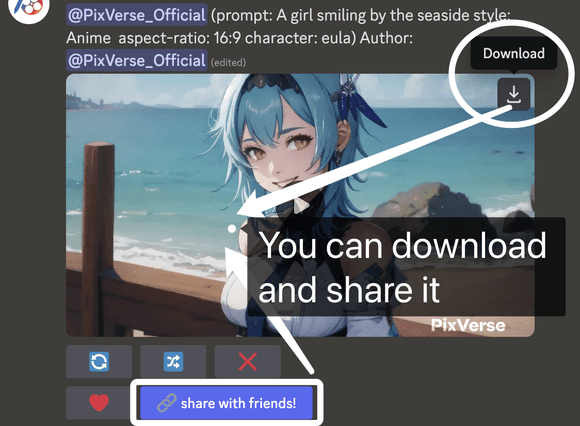
🤩 You can download and share it.