
One-Prompt-One-Story (1Prompt1Story) is an innovative text-to-image generation tool designed to enable consistent image generation from a single prompt. It was presented at ICLR 2025 by Tao Liu et al. It uses a training-free approach that generates high-quality images while maintaining consistency in character identity. 1Prompt1Story works with all text-to-image models based on text embeddings and supports multi-character generation, ControlNet-guided generation, and personalized generation. The tool ensures that the generated images are highly consistent with the input description through a single prompted input, combined with singular value re-weighting and identity preserving cross-attention techniques.
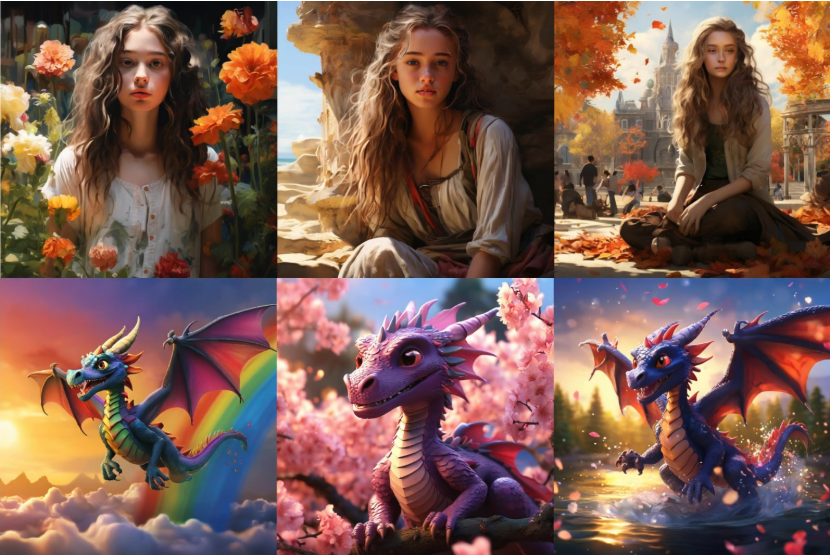
Function List
- Consistent Identity Image Generation: Generate images that maintain consistent character identity through a single prompted input.
- Gradio Demo: An online demo is provided for user experience and testing.
- Consistory+ Benchmarking: Contains 200 cue sets, each containing 5 to 10 cues, organized into 8 superclasses.
- Multi-Role Generation: Support for generating images containing multiple characters.
- ControlNet bootstrap generation: Guides the generation process via ControlNet technology.
- Personalization: Support for generating personalized real images based on user requirements.
Using Help
Installation process
- Clone this repository:
git clone https://github.com/byliutao/1Prompt1Story
- Go to the repository directory:
cd 1Prompt1Story
- Create and activate a virtual environment:
   conda create --name 1p1s python=3.10
conda activate 1p1s
- Install dependencies:
   conda install pytorch torchvision torchaudio pytorch-cuda=12.1 -c pytorch -c nvidia
conda install conda-forge::transformers
conda install -c conda-forge diffusers
pip install opencv-python scipy gradio==4.44.1 sympy==1.13.1
Usage Process
- Run the sample code:
python main.py
- Run the Gradio demo:
python app.py
- Run the Consistory+ benchmark:
python -m resource.gen_benchmark --save_dir ./result/benchmark --benchmark_path ./resource/consistory+.yaml
Main function operation flow
- Consistent Identity Image Generation: Enter a single prompt describing the character's identity and scene in the input box and click the Generate button to get an image that maintains the character's identity.
- Multi-Role Generation: Include multiple role descriptions in the prompt and the tool will automatically generate an image containing all roles.
- ControlNet bootstrap generation: ControlNet-related descriptions are added to the prompts, and the generation process is guided according to ControlNet technology to ensure that the images are highly consistent with the descriptions.
- Personalization: Generate a real image that meets the requirements based on a personalized description entered by the user.