Inbox Zero is an open source email management app designed to help users quickly achieve inbox zero emails with an AI assistant. The app offers a variety of features including auto-replying, archiving, labeling and forwarding emails, managing and unsubscribing from newsletters, blocking cold emails, tracking email activity and more. With these features, users can manage their emails more efficiently, saving time and effort.
Function List
- Newsletter clean-up: Easily manage and unsubscribe from newsletters.
- AI Assistant: Automatically reply, file, tag and forward emails based on text alert rules.
- cold email blocking: Automatically block cold emails.
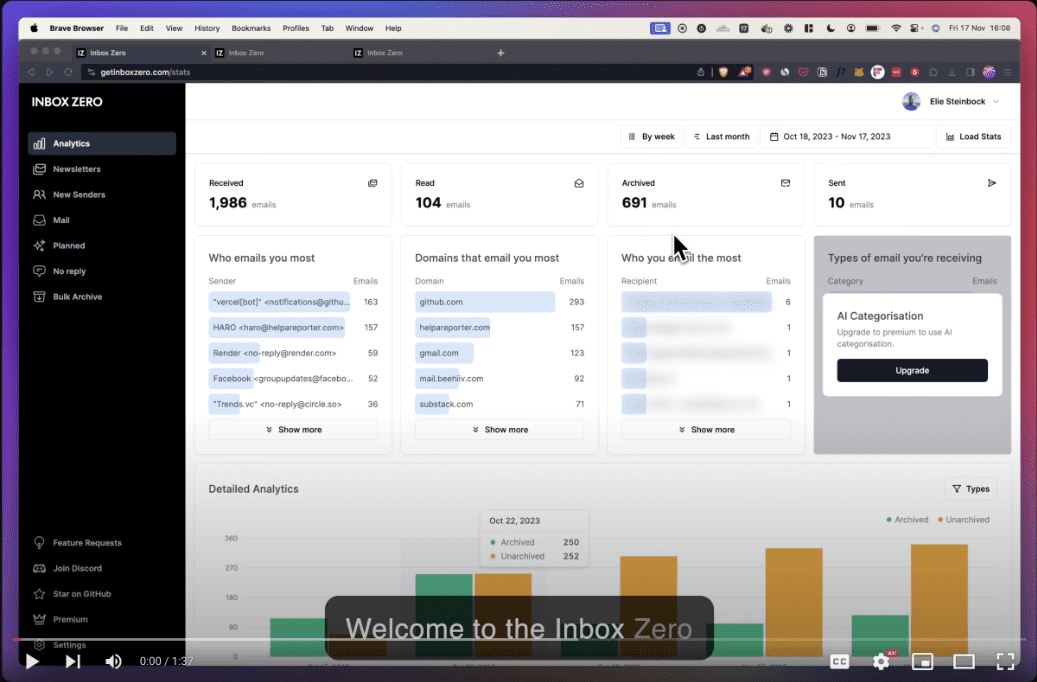
- Mail Analysis: Track email campaigns with daily, weekly and monthly statistics.
- New sender identification: Identify and block new spammers.
- Unanswered Email Tracking: Keep track of emails waiting for replies.
- Large Mail Lookup: Free up space by locating and deleting large emails.
Using Help
Installation process
- Environmental requirements:
- Node.js >= 18.0.0
- pnpm >= 8.6.12
- Docker Desktop Edition (optional)
- Setup Steps:
- Cloning Project Warehouse:
git clone https://github.com/elie222/inbox-zero.git - Go to the project catalog:
cd inbox-zero - Install the dependencies:
pnpm install - Configure environment variables:
- establish
.envDocumentation:cp apps/web/.env.example apps/web/.env - Setting environment variables, for a list of variables see
apps/web/env.tsDocumentation.
- establish
- Cloning Project Warehouse:
- Starting services:
- Start Postgres and Redis with Docker Compose:
docker-compose up -d - Launch the application:
pnpm dev
- Start Postgres and Redis with Docker Compose:
Guidelines for use
- Newsletter clean-up:
- Once in the app, select the "Newsletter Cleanup" feature.
- Browse and select the newsletter you want to unsubscribe from and click the "Unsubscribe" button.
- AI Assistant:
- Configure AI Assistant rules in Settings, such as autoresponders, archiving, labeling, and forwarding emails.
- Enter the appropriate rule text when prompted, and the AI Assistant will perform these actions automatically.
- cold email blocking:
- Enable cold email blocking and the app will automatically recognize and block cold emails.
- Mail Analysis:
- View daily, weekly, and monthly campaign statistics on the Email Analytics screen to get an overview of how your emails are being processed.
- New sender identification:
- The app automatically recognizes new spammers and provides blocking options.
- Unanswered Email Tracking:
- View all pending emails on the Unanswered E-mails screen to ensure timely follow-up.
- Large Mail Lookup:
- Free up storage space by locating and deleting emails that take up a lot of space using the "Find Large Emails" feature.