Developed since Peter Steinberger OpenClaw(Since the advent of the AI Crayfish, the AI field has been undergoing a paradigm shift from Chatbot to AI Agent. A paradigm shift from “Chatbot” to “AI Agent”. Unlike text-only ChatGPT Unlike OpenClaw, agents such as OpenClaw have “executive powers” - they can operate computers, write code, and interact with all kinds of software just like humans.
However, early OpenClaw Deployments often rely on complex command-line interfaces (CLIs), and those black-on-black, green-on-green terminal windows have dissuaded many casual users from trying them out. The good news is that with Cherry Studio With the release of v1.7.17, this threshold has been completely broken. The open source platform, which integrates AI programming, multi-model dialogs and knowledge base management, now allows users to install and run OpenClaw with one click through a graphical interface.
With Peter Steinberger announcing that he is joining OpenAI and driving the development of the next generation of Agents, there has never been a better time to get a taste of this future technology. In this article, we'll take a look at Windows and break down how you can use OpenAI in the Cherry Studio Deploy your first “AI Crayfish” and configure a free high-performance model to make it work.
Core tool preparation: Cherry Studio
Cherry Studio is essentially a powerful container for AI development and dialog. For veterans, it's a console that aggregates all kinds of LLM APIs; for newbies, it's a shortcut to a local AI Agent.
To run OpenClaw, first make sure your version of Cherry Studio is in the v1.7.17 and above.
- download address: Cherry Studio official website

Security tips: OpenClaw is an agent that runs locally with system privileges, and although Cherry Studio provides a wrapper, it is recommended that such “execution-capable” AI be run on computers in non-core production environments, virtual machines (VMs), or sandboxed environments for data security reasons. program.
Phase 1: One-click installation of the OpenClaw environment
The strength of Cherry Studio is its “out-of-the-box” experience. Once installed and running as an administrator, there is no need to manually configure complex Python environments or Docker containers.
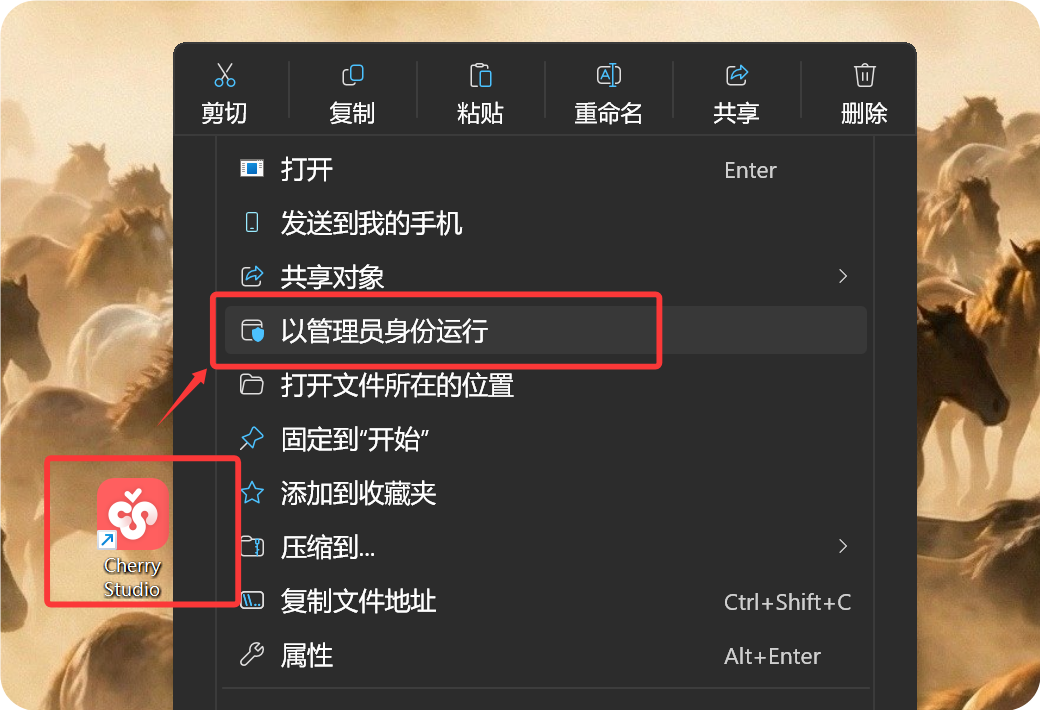
- Access to the Agent Center:
Open the “Crayfish” icon at the bottom of the menu on the left side of the software (OpenClaw entry).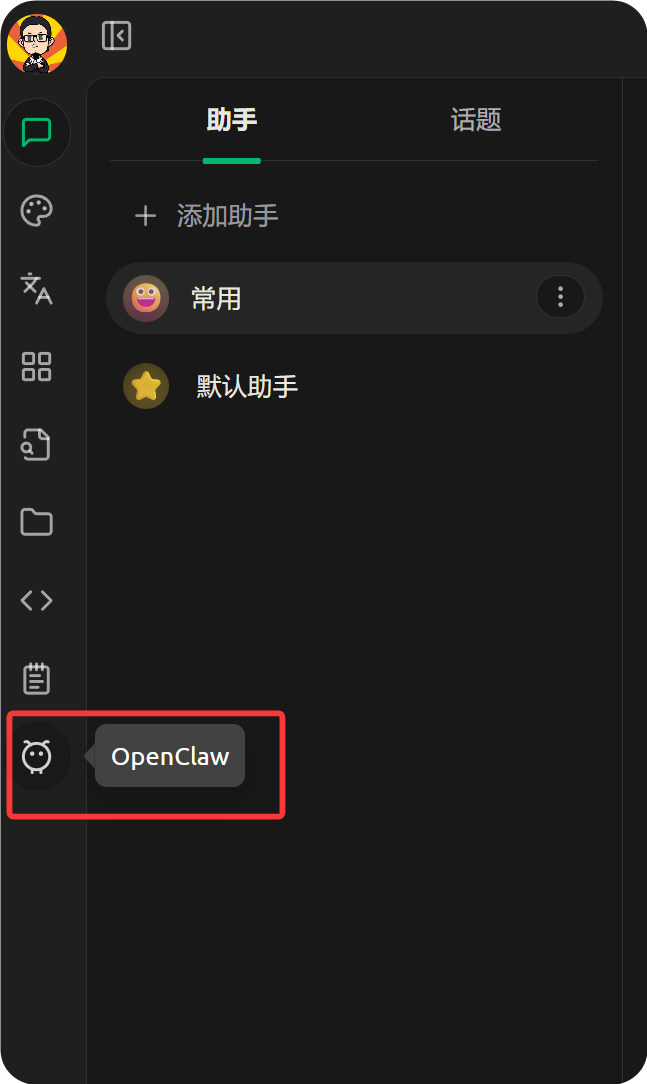
- Environment self-test and dependency installation:
The system automatically detects the local environment. Node.js (v22.0+ recommended). If your computer does not already have it installed, Cherry Studio will provide you with a direct guide to download it.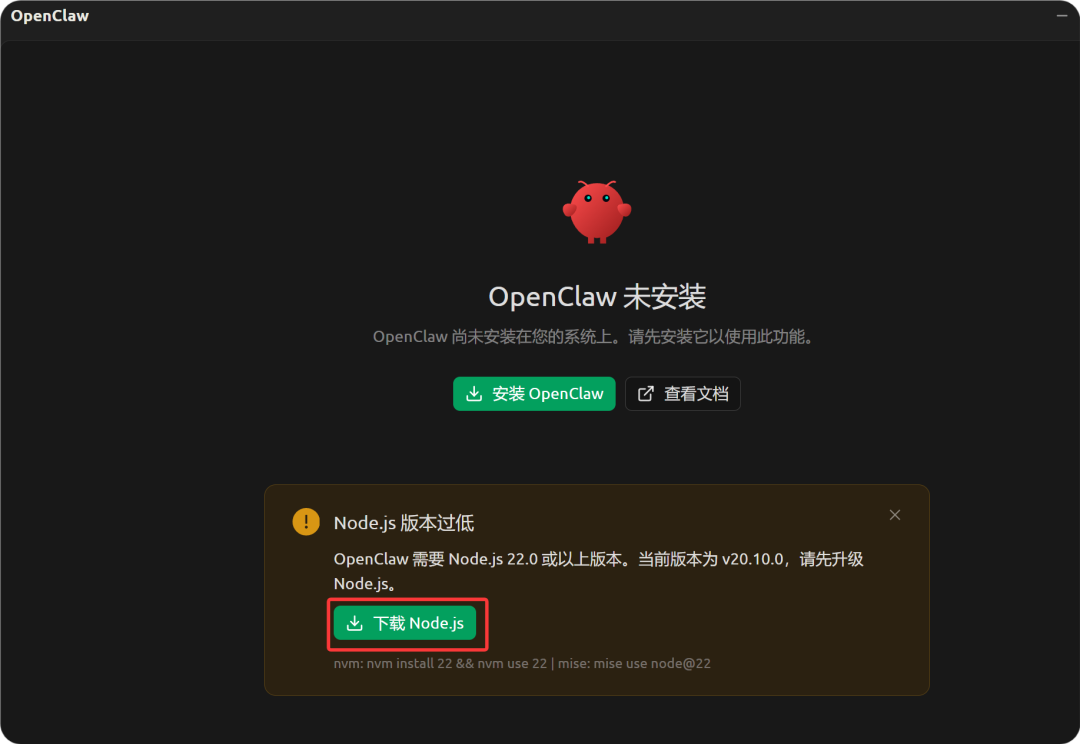
After downloading the Node.js installer, just leave the default options to complete the installation. This is the base engine for OpenClaw to run logic judgment and code execution in the background.
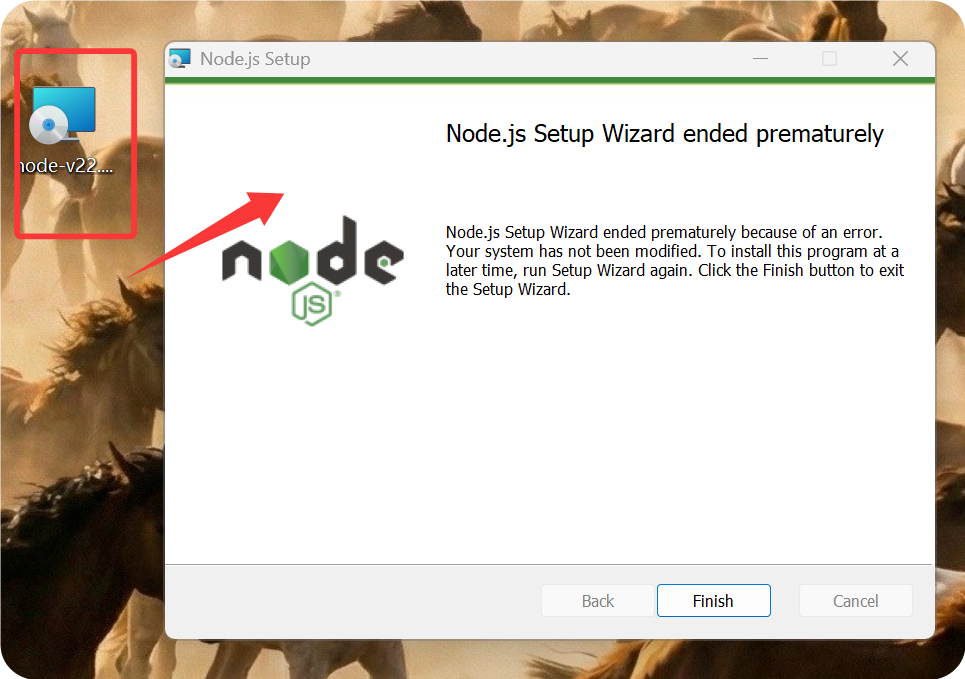
- Perform the installation:
Once the environment is ready, go back to Cherry Studio and click the “Install” button.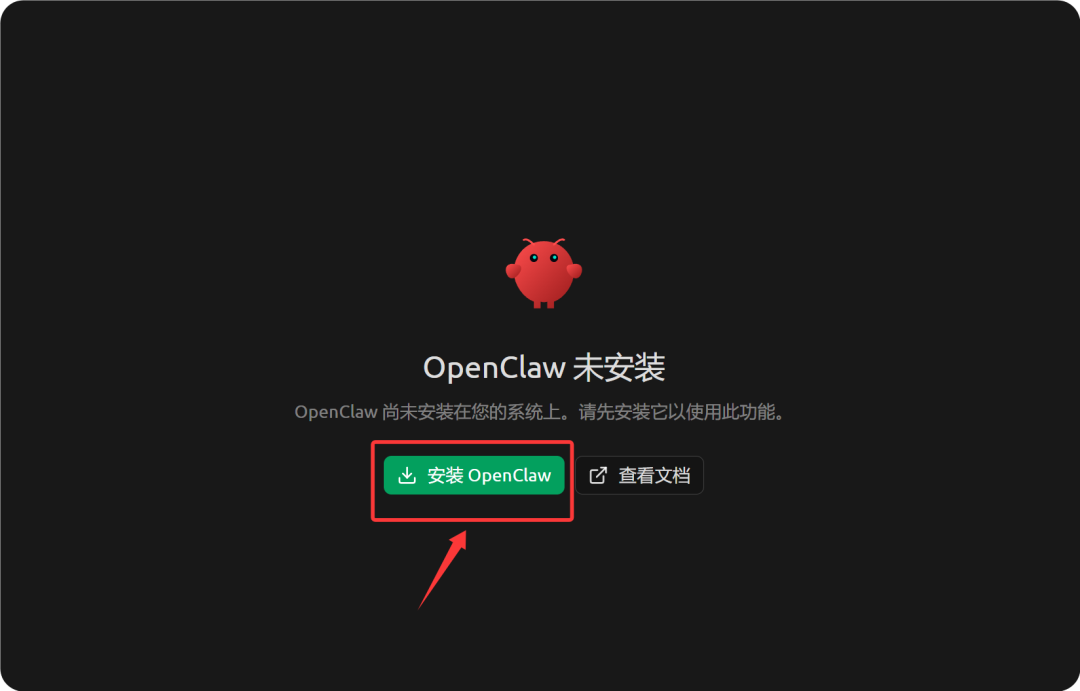
Installation Tips:
- If you're installing on a pristine system for the first time, the process is usually very smooth.
- If there are multiple versions of Node.js on your system (e.g. developer environment), you may encounter version conflict errors. In this case, it is recommended to use the
nvm(Node Version Manager) to switch versions, or deploy directly in a pristine virtual machine.
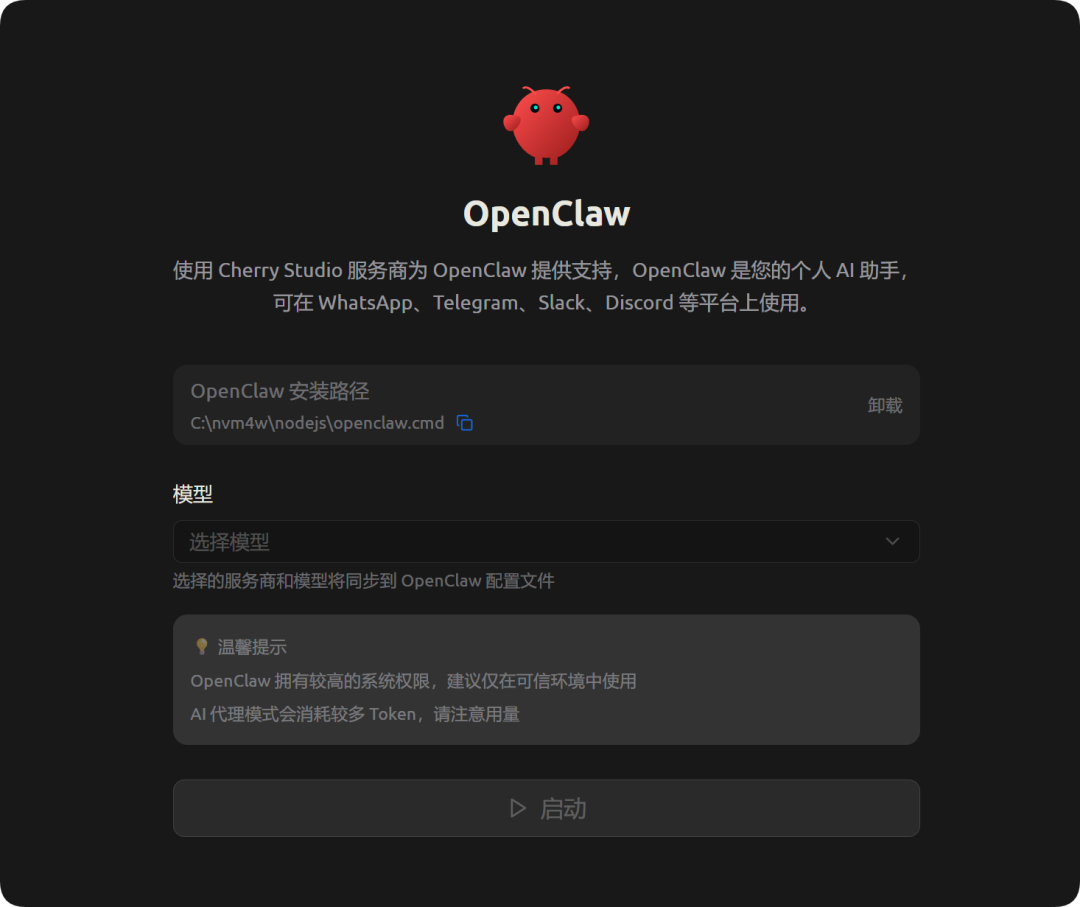
When you see the following screen, OpenClaw has been successfully implanted into your Cherry Studio.
Phase 2: Configure the modeling layer (get the free API)
OpenClaw is just the “body”, it needs access to a large language model (LLM) as the “brain” to think. We could use a local model (like Ollama), but on performance-constrained devices, a cloud API is a better solution.
Here we recommend the use of Age of Reasoning (AiHubMix) The aggregation API service, which provides access interfaces to mainstream models including GPT-4, GLM-5, etc., and is supported by a certain amount of free credits for developers.
- Getting the API key:
Visit the Age of Reasoning website (aihubmix.com) to register for an account and get a default API call credit.- free strategy: The range of free models available on the platform includes
coding-glm-5-free(suitable for coding),Gemini 3 Flashetc. - speed limit: Domestic series models are typically limited to 5 RPM (5 requests per minute) / 500 RPD (500 requests per day), which is sufficient for personal testing and simple agent interactions.
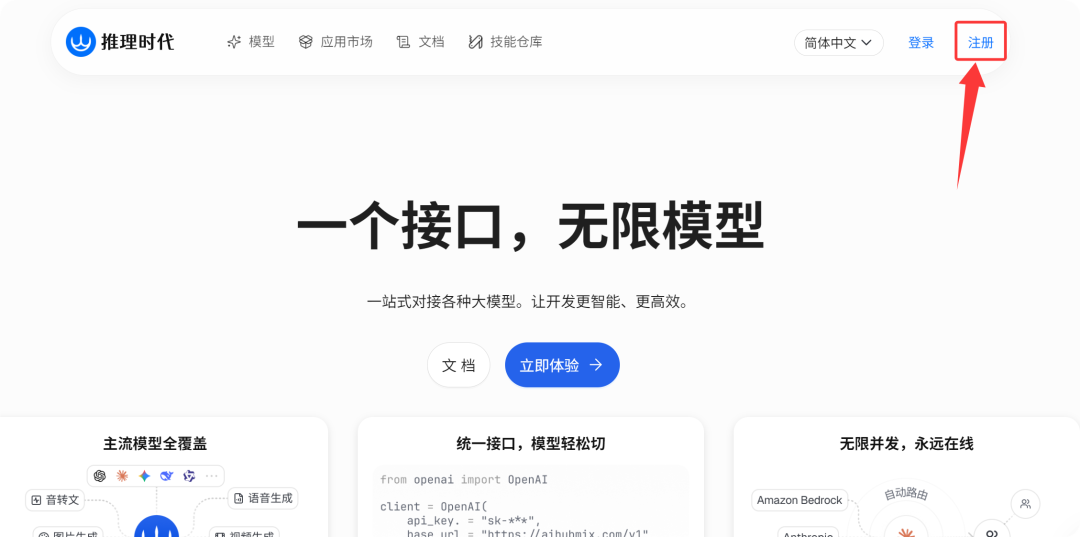
Please get your
sk-xxxxxxxxformat (API-Key). - free strategy: The range of free models available on the platform includes
- Docking Services in Cherry Studio:
Click on the gear icon in the bottom left corner of the software to enter theset upYou can find or search for it in the Model Services list. AiHubMix。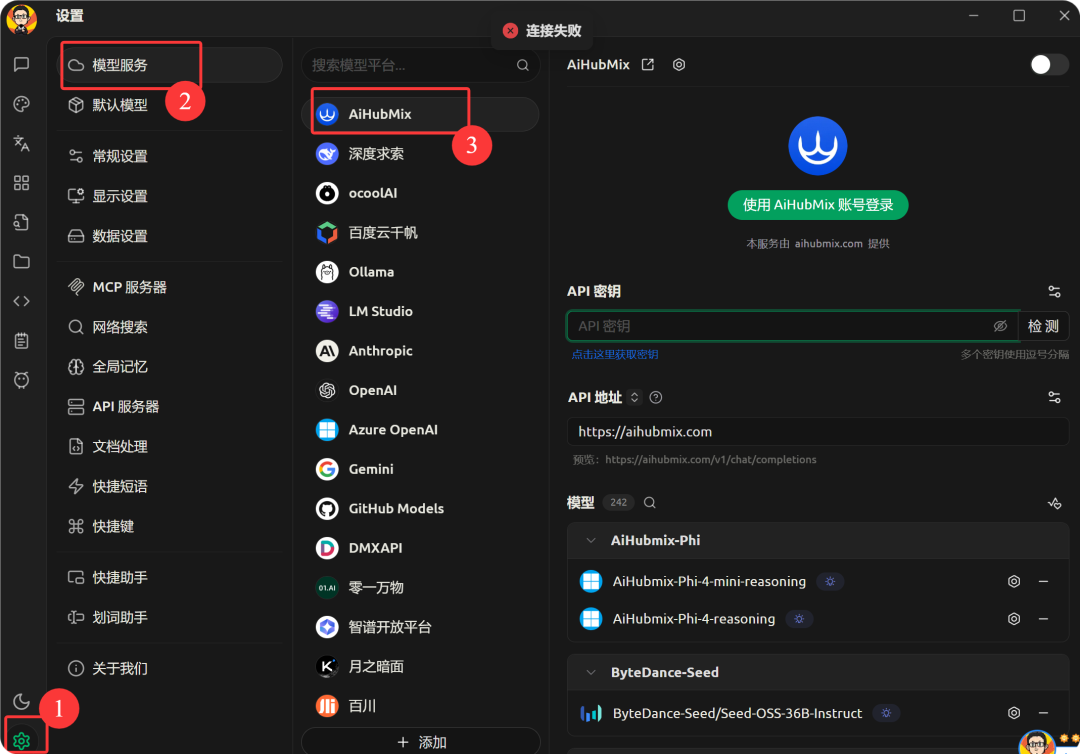
- API Address: The system is usually pre-filled automatically (https://aihubmix.com).
- API key: Paste the Key you just obtained.
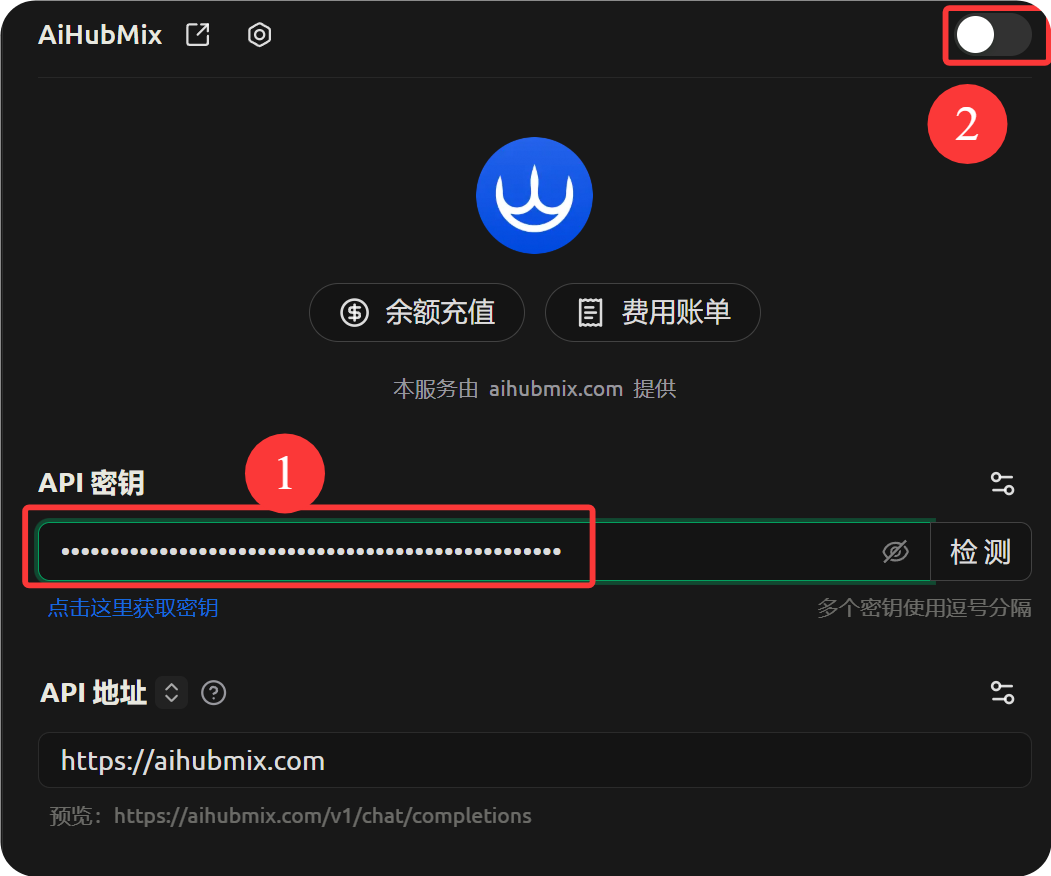
- Filtering and adding specific models:
Turn on the “Service Provider Switch” in the upper right corner (turns green), and then click the “Manage” button at the bottom.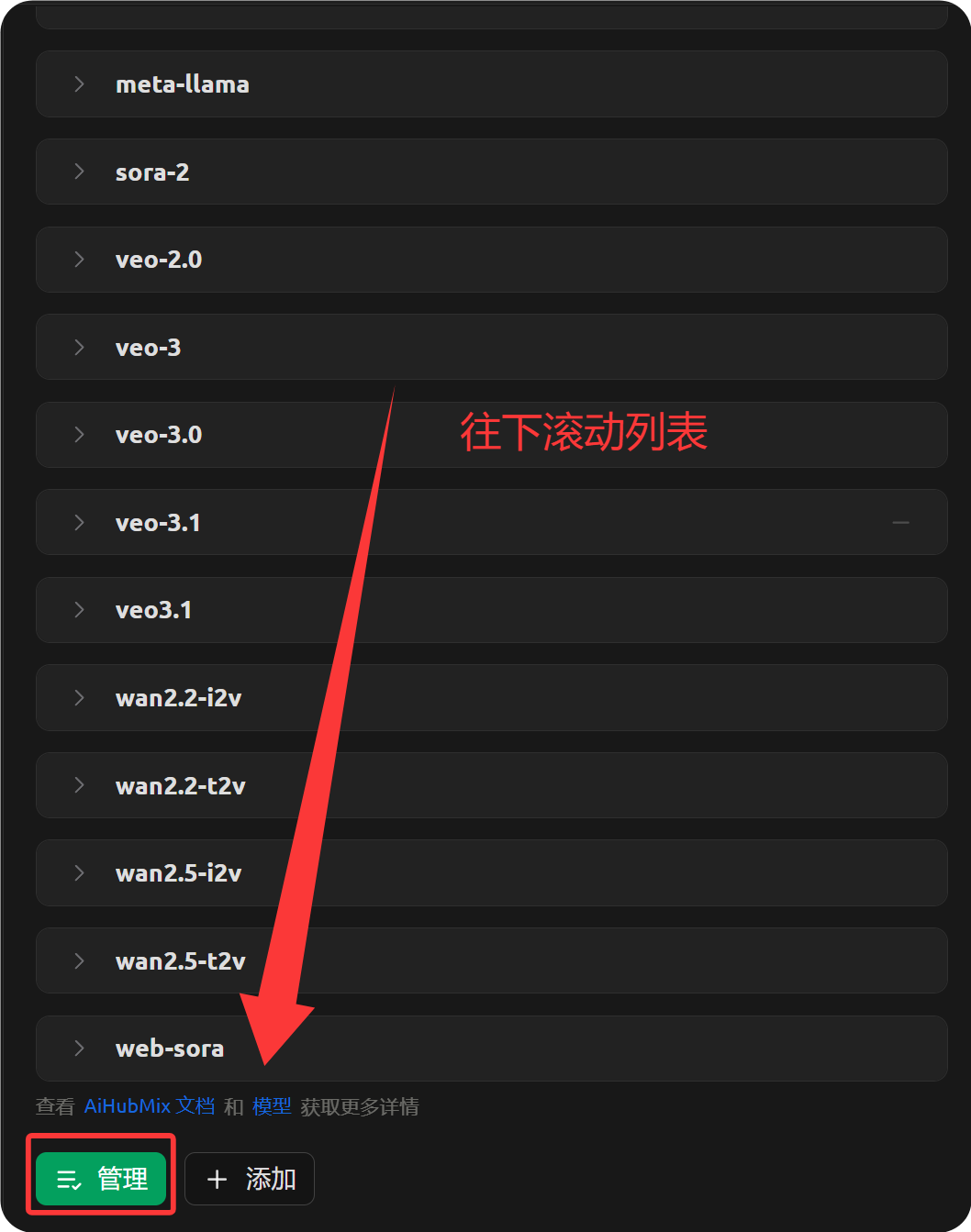
In the model management interface, it is recommended to delete the redundant paid models to avoid misuse. Go to “Free” category, add
coding-glm-5-freeThis is critical because OpenClaw consumes a lot of tokens when performing tasks. This is critical because OpenClaw consumes a lot of Token when performing tasks, and using a free model optimized for the code significantly reduces the cost of trial and error.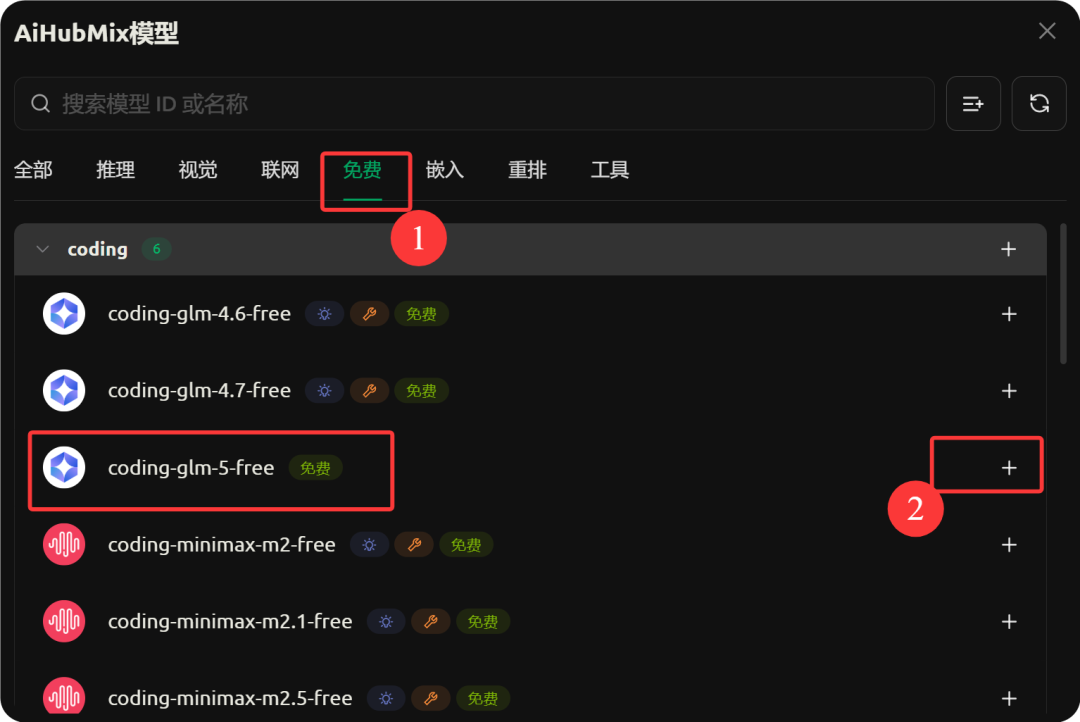
- Connectivity testing:
To the right of the API key, click “Detect” and entercoding-glm-5-freePerform the handshake test. A “successful connection” means that a neural connection has been established between the brain and the body.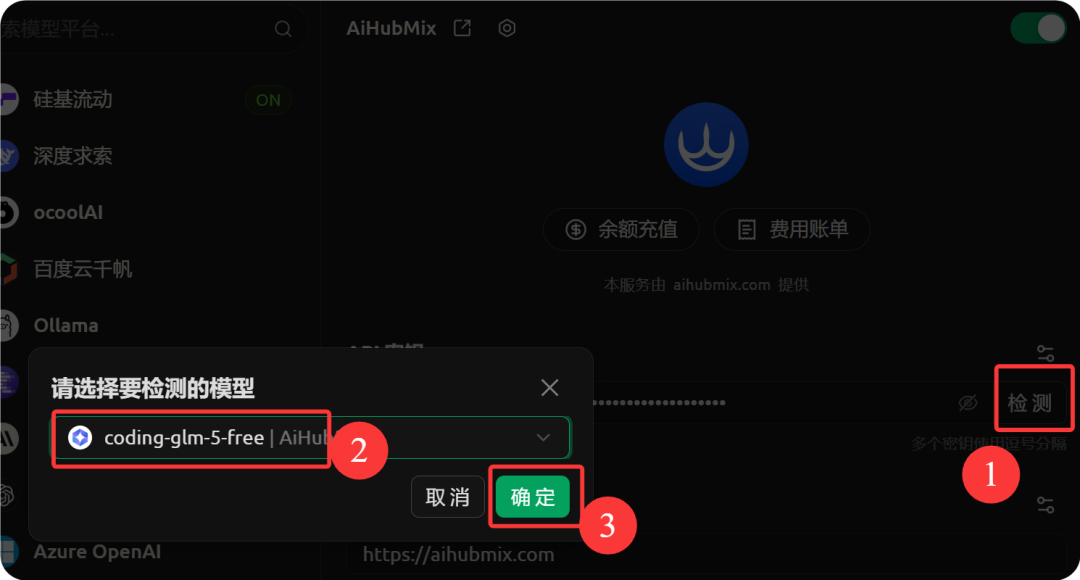
Phase III: Initiation and Interaction
Go back to the OpenClaw interface and in the Model Selection field specify the model we just configured coding-glm-5-freeClickactivate (a plan)。
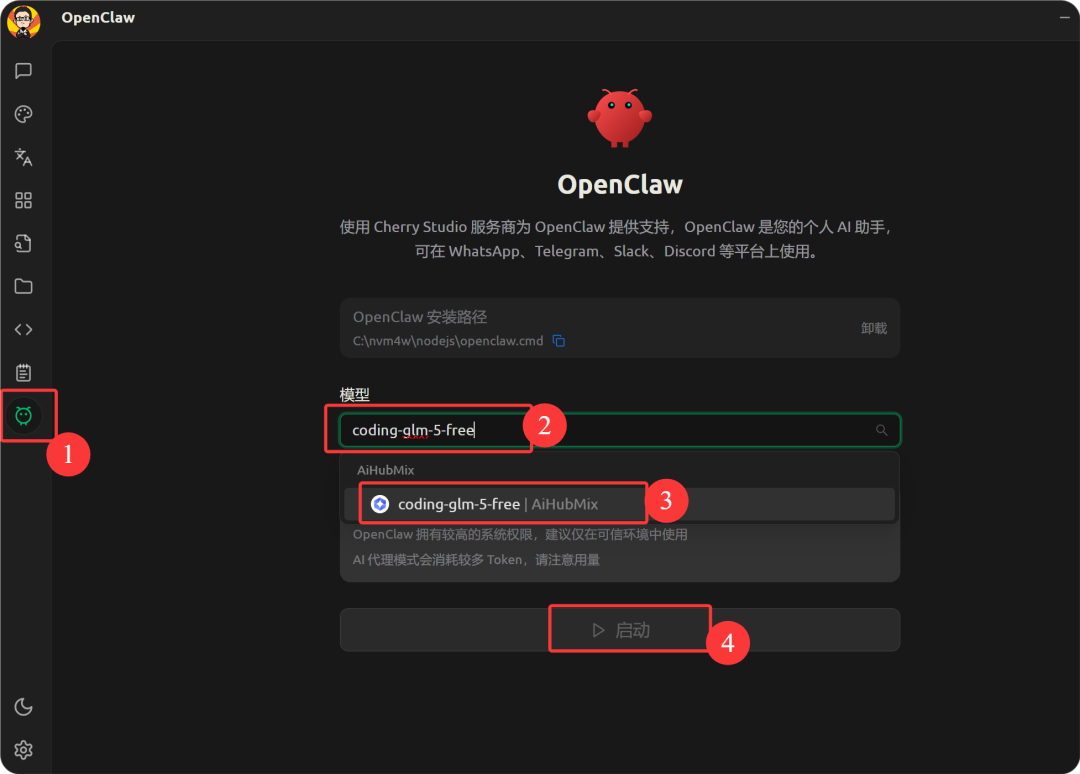
At this point, you can type in commands just like you used to with Chatbot, but the results will be very different.
Try typing:“Hello, crawfish.”
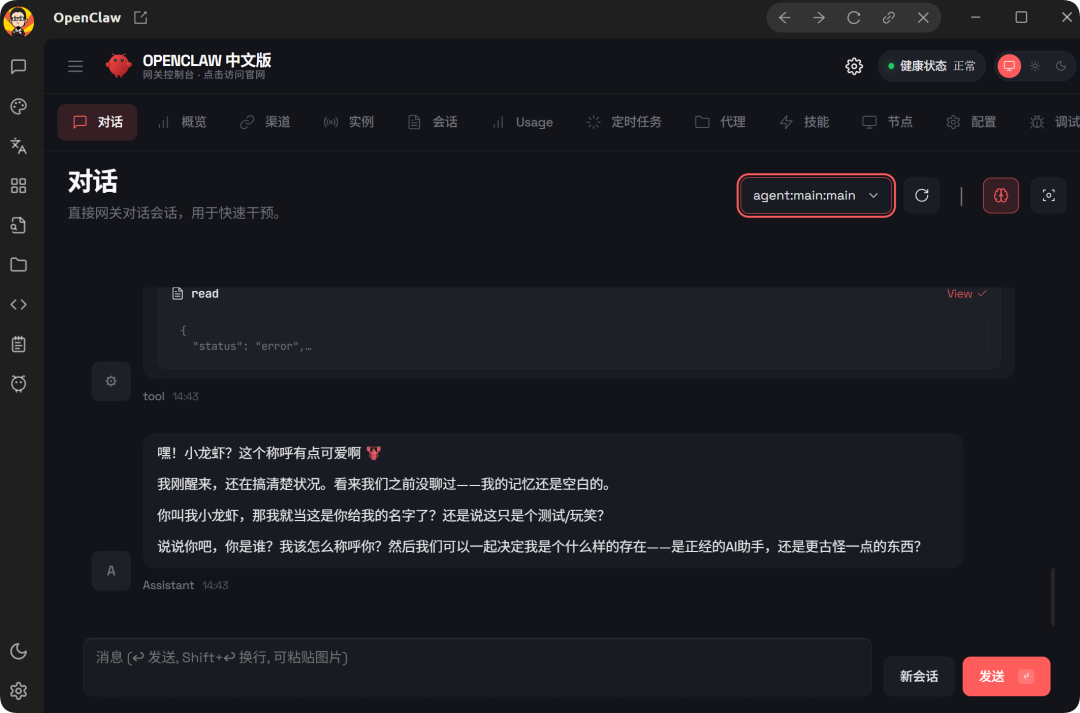
OpenClaw not only replies to text, but may also write code in the background to parse your intentions. As you explore further (e.g., ask it to “organize my desktop files” or “crawl the data on a web page”), you'll see the real beauty of the Agent - it stops It's not just talking, it's doing the work for you.
concluding remarks
With Cherry Studio, we managed to compress the complex OpenClaw deployment process into a few clicks. This was more than just the installation of a tech tool, it was the beginning of transforming workflows through AI. Whether it's installing skill plug-ins or leveraging more powerful models like GPT-4 for complex tasks, the possibilities are endless with this localized Agent platform.
If you encounter errors during exploration (e.g., missing Python environment dependencies or running out of API quota), utilizing handy AI assistants (e.g., Beanbag, ChatGPT) to upload screenshots of the error for diagnosis is a highly efficient way for every AI developer to solve the problem.